
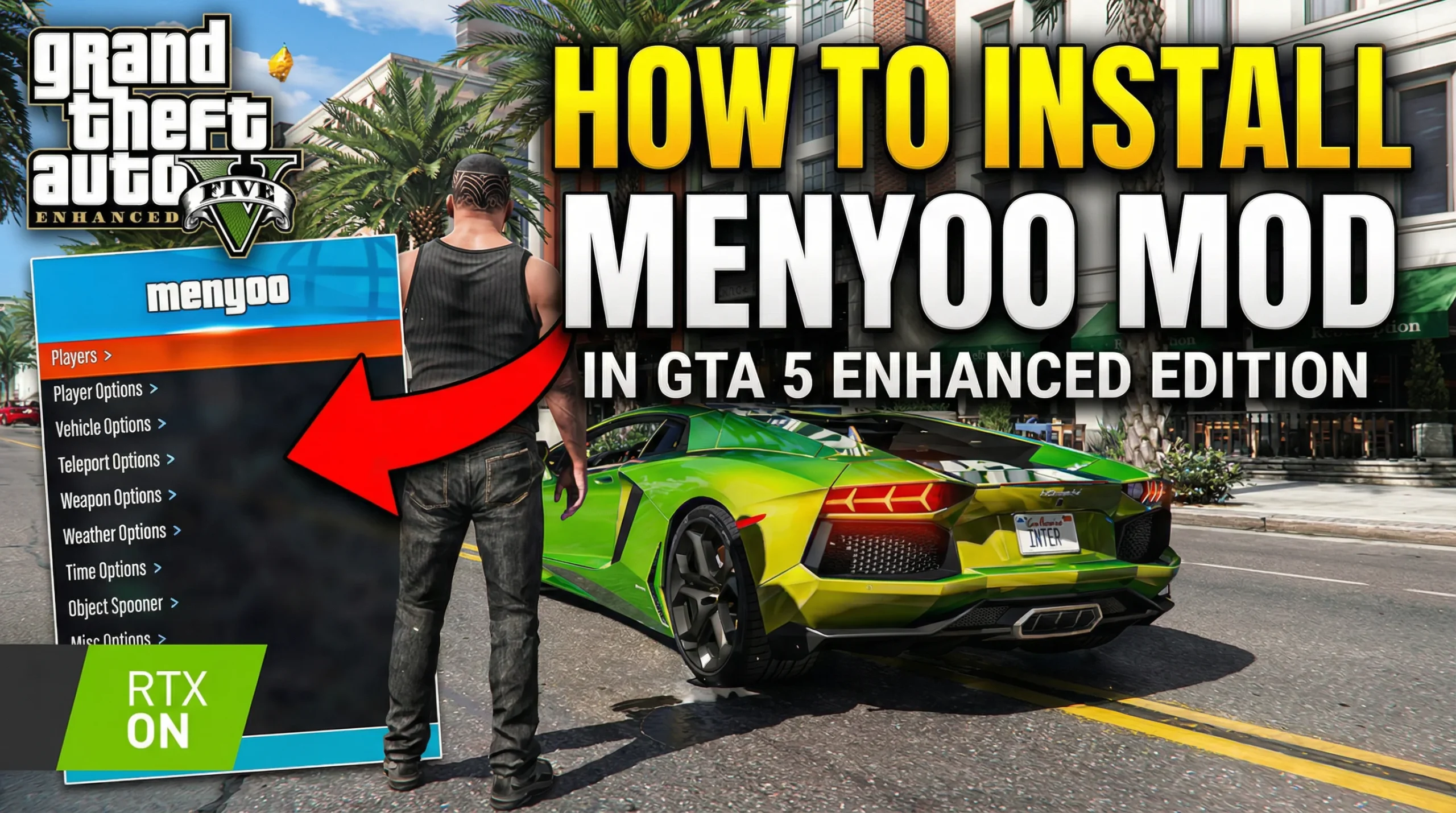
Learn how to install Menyoo mod for GTA 5 Enhanced PC step by step. Covers Script Hook V setup, file placement, and troubleshooting common errors.
I have been modding GTA 5 since roughly 2016, and honestly, Menyoo remains one of the best trainer mods out there. When Rockstar pushed the Enhanced update for PC, it broke almost every mod I had running. Took me a solid evening to get everything working again. So if you are sitting there staring at a crash screen right now, I get it.
This guide walks you through exactly how to install Menyoo mod for GTA 5 Enhanced PC without the headaches I went through.
What is menyoo mod in gta 5 enhanced
Menyoo is a single-player trainer mod for GTA 5 on PC. It gives you access to a massive in-game menu where you can spawn vehicles, change weather, teleport, modify your character, place objects, and do things the base game simply does not allow.
It is worth mentioning right away that Menyoo only works in story mode. Do not attempt to use it in GTA Online. Rockstar will ban your account, and no, they do not give warnings anymore.
A few things Menyoo lets you do:
- Spawn any vehicle in the game, including hidden ones
- Change player model and outfit
- Adjust time, weather, and gravity
- Use a full object spooner for custom scene building
- Apply visual effects and animations
- Teleport anywhere on the map instantly
Personally, I use it mostly for the object spooner. Building custom scenes in GTA 5 is genuinely satisfying once you get the hang of it.
System req for Menyoo mod gta 5 enhanced
Before you touch any mod files, make sure you have the following ready. Skipping any of these will cause problems.
| Requirement | Details |
|---|---|
| GTA 5 Enhanced PC | Latest version from Steam, Epic, or Rockstar Launcher |
| Script Hook V | Required dependency for Menyoo to function |
| Menyoo PC | The actual mod files |
| Backup of game folder | Always back up before modding |
| .NET Framework 4.8+ | Should already be on Windows 10/11 |
One thing people overlook is the backup step. I know it feels unnecessary. But when an update hits and your game refuses to launch, you will be grateful you copied that clean folder somewhere safe.
Step 1 – Download Script Hook V for gta 5
Menyoo cannot run without Script Hook V by Alexander Blade. This is the foundation that lets external scripts interact with GTA 5.
After downloading, extract the archive. You will see several files, but the ones that matter are:
- ScriptHookV.dll
- dinput8.dll
Copy both of these files directly into your GTA 5 root directory. That is the folder where GTA5.exe lives. Not a subfolder. Not the scripts folder. The root.
If you are on Steam, the typical path looks like this:
C:\Program Files (x86)\Steam\steamapps\common\Grand Theft Auto V
For Epic Games, check under your custom install location.
Step 2 – Download Menyoo Mod for GTA 5 Enhanced PC
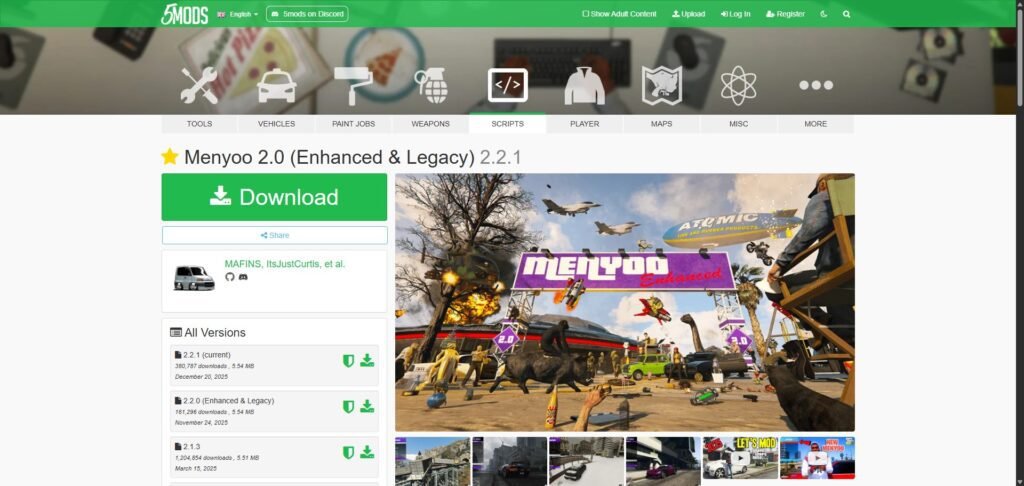
Now grab the actual Menyoo trainer. The safest source is GTA5-Mods.com, which is the community standard for GTA modding.
Download the latest version. Make sure the mod page mentions compatibility with the current GTA 5 Enhanced build. Modders usually update their files within a few days of a Rockstar patch.
Step 3 – Install Menyoo Files for gta 5 Enhanced
How to Install Menyoo 2.0 for Single Player
This is the standard installation and what most people will want. Takes about five minutes.
- Download the latest Menyoo 2.0 release from the official source.
- Extract the contents of the download.
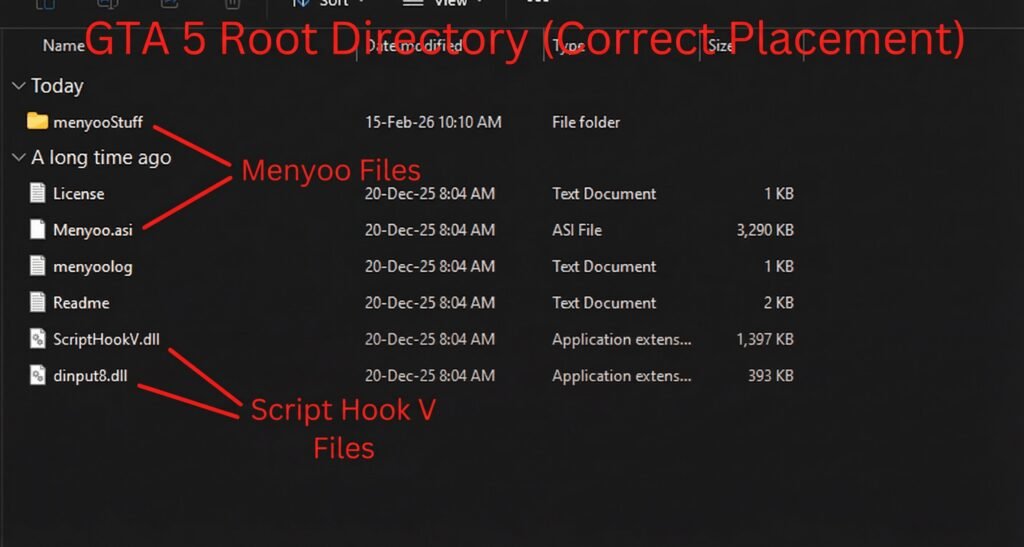
- Place Menyoo.asi and the entire menyooStuff folder into your GTA V root directory. That is the folder where GTA5.exe lives.
- Make sure Script Hook V files and the OpenIV ASI Loader are already in the same directory.
- Disable BattleEye in the Rockstar Launcher.
- Launch GTA V and load into story mode.
- Press F8 to open Menyoo. Press F8 again to close it.
That is genuinely all there is to it for single player. No extra configuration needed unless you want to customize keybindings.
Step 4 – Launch GTA 5 and Activate Menyoo
Start GTA 5 through your normal launcher. Load into story mode with any character.
Once you are in-game, press F8 on your keyboard. That is the default key to open the Menyoo menu. A clean overlay should appear on the left side of your screen.
If the menu opens, congratulations. You are good to go.
Navigate the menu using:
- Arrow keys to move through options
- Enter/Numpad 5 to select
- Backspace/Numpad 0 to go back
- F8 to close the menu
I still remember the first time I opened Menyoo years ago and spent about three hours just spawning random vehicles off Mount Chiliad. It never gets old.
Troubleshooting Common Issues
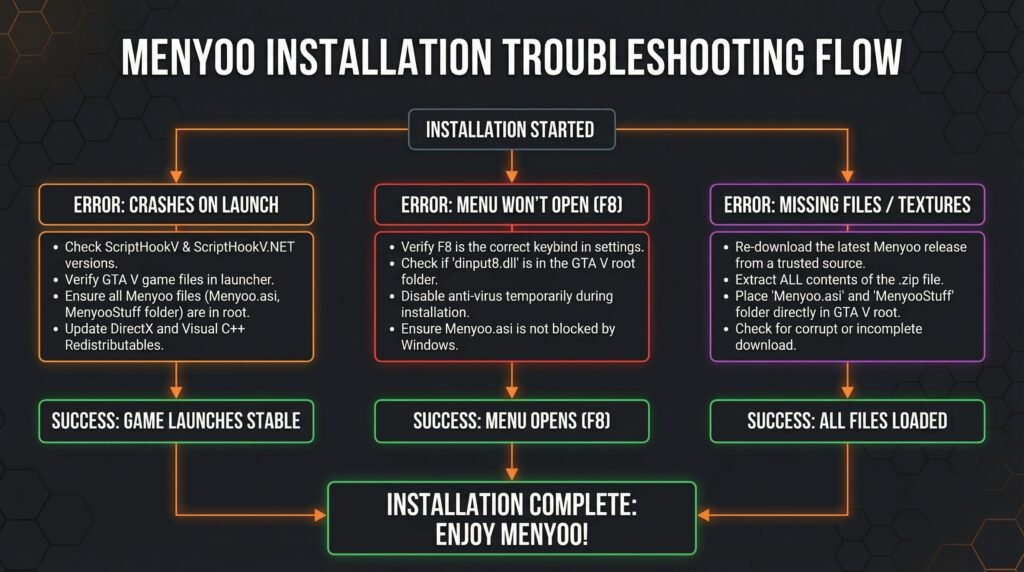
Things do not always work on the first try. Here are the most common problems and how to fix them.
Menyoo Menu Does Not Open
- Script Hook V is likely outdated. Check dev-c.com for the latest version matching your game build.
- Make sure you placed files in the correct directory. Double-check that GTA5.exe is in the same folder.
- Verify you are in story mode, not GTA Online.
Game Crashes on Launch
- A game update probably broke Script Hook V. Wait for Alexander Blade to release an updated version. This usually happens within 24 to 72 hours after a Rockstar update.
- Remove ScriptHookV.dll and Menyoo.asi temporarily to confirm they are the cause.
Menyoo Features Not Working Properly
- Redownload the menyooStuff folder. Corrupted config files cause weird behavior.
- Check that no other mod is conflicting. Running multiple trainers at once can cause issues.
Game Version Mismatch
This is the big one with GTA 5 Enhanced. Rockstar updates the game frequently, and each update changes the game executable. Script Hook V must match the exact game version. There is no workaround for this. You wait for the update or you roll back your game version.
Important Tips for Modding GTA 5 Enhanced PC
A few things I have learned over the years that save a lot of frustration:
- Disable automatic updates on Steam or Epic when you have a stable mod setup. One surprise patch can break everything overnight.
- Keep a clean backup of your GTA 5 folder. Restoring is faster than reinstalling.
- Never use mods in GTA Online. Rockstar’s anti-cheat has gotten aggressive. It is not worth the risk.
- Bookmark the Script Hook V page. You will be visiting it regularly after every game update.
For a broader overview of GTA 5 modding, the GTA5-Mods forums are a solid resource with active community support.
Final Thoughts
Installing Menyoo mod for GTA 5 Enhanced PC is straightforward once you understand the dependency on Script Hook V and where files need to go. The whole process takes maybe ten minutes if everything lines up. The only real inconvenience is waiting for mod updates after Rockstar patches the game, which happens more often than any of us would like.
If you found this guide helpful, drop a comment below with your experience. Did it work on the first try, or did you run into something unexpected? I am curious how the latest Enhanced build is treating everyone.
And if you are looking to go deeper into GTA 5 modding beyond Menyoo, check out tools like OpenIV for editing game archives and replacing vehicle models, textures, and maps.