
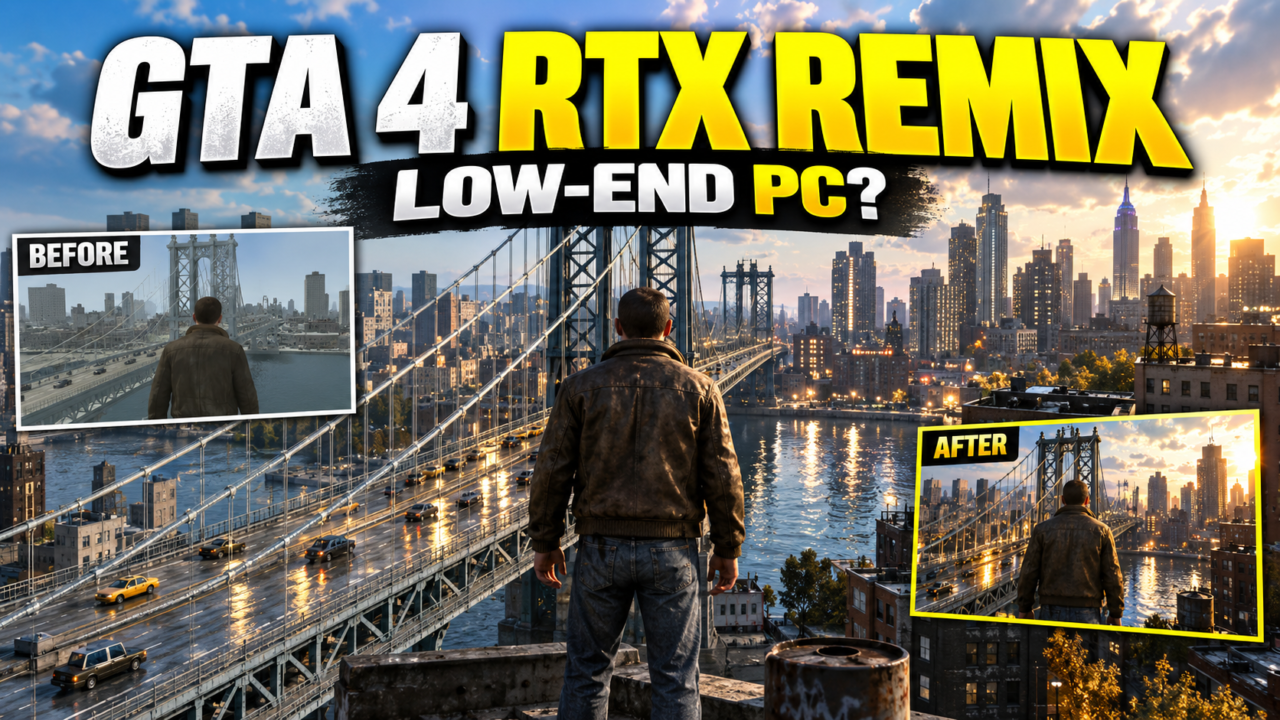
GTA 4 RTX Remix mod replaces GTA IV’s decade-old lighting with real-time ray tracing, but you need an RTX-series GPU before you even consider installation.
Quick summary
- GTA 4 RTX Remix mod is a community project by xoxor4d that injects ray-traced shadows, ambient occlusion, reflections, and global illumination into GTA IV
- An RTX-series GPU is the bare minimum, and even an RTX 5080 only holds around 40 FPS with path tracing active
- The Standard version is the one low-end PCs should choose; the Experimental branch with the Numos system demands far more hardware
- Always back up your original GTA 4 files before touching any mod files
- The Utility tab lets you toggle individual ray-traced features, giving you your primary lever for balancing visuals against frame rate
What the GTA 4 RTX Remix Mod Actually Is
GTA 4 RTX Remix mod is a community project built by modder xoxor4d, not an official Nvidia product. It takes GTA IV, a DirectX 9 title, and adds real-time ray-traced shadows, ambient occlusion, reflections, and global illumination to the game’s entire lighting system.
The technical challenge is significant. GTA IV does not support the fixed-function pipelines that standard RTX Remix relies on for DirectX 8 and 9 titles. Nvidia’s RTX Remix toolkit normally uses a custom D3D9 runtime to intercept draw calls and reinterpret game assets into the Universal Scene Description framework. GTA IV broke that pipeline entirely, so xoxor4d had to reverse-engineer a custom DLL interceptor just to make the mod work.
What you get visually is a dramatic shift in how light behaves across Liberty City. Streetlights now cast accurate shadows through geometry. Reflections appear on wet pavement and car windows. Ambient occlusion darkens corners and crevices naturally. Global illumination means light bounces off surfaces instead of vanishing after the first contact.
The mod does not replace models or textures. It focuses entirely on lighting. If you are looking for HD texture packs or updated car models, this mod will not deliver those. What it does deliver is a fundamentally different relationship between light and the world in GTA IV.
Version 1.3.2 adds a new Anti-Culling System, updated tone mappings borrowed from Remix Plus, improved lighting behavior, fixed sirens for the FBI Buffalo vehicle, weather and time-of-day controls through the Utility tab, and a performance improvement that replaces chain-link fences with full 3D models.
Can Your Low-End PC Actually Run It
The GTA 4 RTX Remix mod is not friendly to low-end hardware. Nvidia’s official RTX Remix documentation lists the minimum requirement as any RTX-series GPU, with the recommended spec being an RTX 4070 with 12 GB VRAM, 32 GB RAM, and Windows 11. If your PC falls below that tier, you are looking at a rough experience from the start.
The performance numbers make this concrete. In a TechSpot demonstration, an RTX 5080 could only maintain around 40 frames per second in DLSS 4K performance mode with the GTA 4 RTX path tracing mod active, though exact test conditions were not fully detailed. A low-end PC running a budget RTX card or an older RTX-series GPU would likely see frame rates well below that figure, though specific benchmarks for individual GPU tiers are not available in current sources.
The key takeaway is that the mod runs on RTX hardware, but “runs” and “runs playably” are very different things. Users with lower-tier RTX cards should expect to reduce settings significantly to achieve playable frame rates, though exact frame rates are not documented.
What You Need Before Installing
Before you touch a single installer, gather everything below. Missing one item means you will stop mid-installation and hunt for a download link.
- A legitimate copy of GTA IV. The mod modifies the game’s executable and core files, so it will not work with a pirated or incomplete installation. The game needs to be properly installed with GTAIV.exe present in the root directory. You can verify your game files through your digital storefront if you are unsure.
- The latest NVIDIA graphics drivers. RTX Remix depends on features that only the newest drivers support. Check nvidia.com directly for the current driver version and install it before proceeding with anything else. [external link: official NVIDIA driver download page]
- The GTA 4 RTX Remix Compatibility Mod files. As of the latest update, the full mod package on libertycity.net lists at approximately 592 MB, while gta.com.ua lists a standalone package around 463 MB. The installer file itself is only about 0.23 MB but points to and manages the larger component files. The mod is currently distributed through community platforms including xoxor4d’s Patreon and libertycity.net. The mod may move to GitHub or Nexus Mods after the beta period ends, though this timeline has not been confirmed.
- A backup of your original GTA 4 files. Copy your entire GTA IV installation folder to an external drive or separate directory on your main drive. If anything goes wrong during installation, you will need this backup to restore the game to its original state.
- The modified FusionFix. The installer will prompt you to install a specially modified version of FusionFix. The standard FusionFix has components that conflict with the RTX Remix mod, so the modified version included in the installer is necessary for compatibility. Do not skip this step.
Step-by-Step Installation
The installation process is straightforward once you have everything ready. Follow these steps in order.
- Download the GTA 4 RTX Remix Compatibility Mod package from a trusted source. If you are using the installer route, download the GTAIV-Remix-CompMod-Installer.exe file. If you prefer the manual route, download the full GTAIV-Remix-CompatibilityMod folder. [external link: community mod download page]
- Run the installer and point it to your GTAIV.exe file. The installer will automatically detect your game directory and prepare the necessary files. During this process, it will offer to install the modified FusionFix. Accept this option.
- For manual installation, copy the GTAIV-Remix-CompatibilityMod folder directly into your GTA IV root directory where GTAIV.exe is located. Make sure the folder structure matches correctly and no files are missing.
- Verify the installation by launching the game and checking the Utility tab in the mod menu. You should see the new options for adjusting ray-traced features, weather, and time settings. If the Utility tab appears and responds to your input, the installation succeeded.
- Test the game at startup. Run GTA IV and observe whether the game launches without errors. Some users report longer first-launch times as the mod initializes its ray-tracing pipelines, though this has not been independently confirmed. If the game crashes on launch, restore your backup files and check that your drivers are fully updated.
Optimizing GTA 4 RTX Remix for Low-End Performance
Once installed, the GTA 4 RTX Remix mod will look incredible but probably run terribly on anything below the recommended hardware tier. Optimization is not optional. It is the difference between a playable experience and an unplayable slideshow.
- Start with the Standard version, not Experimental. The Experimental branch adds the Numos system with volumetric clouds and a new weather system, pushing hardware demands significantly higher. On a low-end PC, stick with Standard.
- Use the Utility tab to disable individual ray-traced features. The mod lets you toggle shadows, ambient occlusion, reflections, and global illumination separately. Not all lighting features scale equally across hardware. Some GPUs handle global illumination better than reflections, or vice versa. Experiment to find the combination that keeps your frame rate above 30 FPS.
- Lower the resolution, especially with DLSS if your GPU supports it. The visual quality loss is partially masked by the mod’s lighting effects, which tend to dominate the visual impression anyway.
- Close background applications before launching. Even a web browser with multiple tabs consumes GPU memory and CPU resources that GTA IV will compete against.
Standard vs Experimental: Which Version Should Low-End Users Choose
The GTA 4 RTX Remix mod ships in two distinct versions, and the choice between them has a direct impact on whether your low-end PC can handle the experience at all.
| Version | Key Features | Hardware Demand | Source | Notes |
|---|---|---|---|---|
| Standard | Ray-traced shadows, ambient occlusion, reflections, global illumination, Anti-Culling System, new tone mappings, weather/time controls in Utility tab, 3D fence models | Moderate to high; playable on RTX 3060+ with optimization | Community reports; no official benchmarks | Specific FPS data for individual GPU tiers unavailable |
| Experimental | Everything in Standard plus Numos physical atmosphere, volumetric clouds, new weather system | Very high; struggles even on RTX 5080 | Community reports | No official benchmarks available |
The decision is not close for low-end hardware. Choose the Standard version. The Experimental version will arrive at your PC as a blur of frames and stuttering, with the new weather system failing to render consistently. Once your hardware upgrades to at least an RTX 4070 tier, you can revisit the Experimental branch and see what the full Numos system looks like. Until then, the Standard version delivers enough visual improvement over the unmodded game to make the effort worthwhile.
The v1.3.2 updates in the Standard version, including the new Anti-Culling System and the replacement of chain-link fences with full 3D models, already represent a significant visual upgrade without the additional overhead that the Numos system introduces.
Frequently Asked Questions
Does GTA 4 RTX Remix work with the Steam version of the game or only the retail copy?
The mod works with any legitimate GTA IV installation that has GTAIV.exe properly installed in the root directory. Whether you bought the game on Steam, Rockstar Launcher, or as a retail disc does not matter. Platform-specific DRM can occasionally cause conflicts, but core compatibility is the same across all distribution channels.
How do I completely uninstall RTX Remix from GTA 4 if I decide it is not for me?
If you backed up your original GTA 4 files before installation, simply copy them back over the modified files. The installer also includes an uninstall option in most cases. If you did not create a backup, verify and repair the game through your digital storefront or reinstall GTA IV from scratch.
Will installing GTA 4 RTX Remix corrupt my save files or break the base game?
The mod modifies game executable files and lighting systems, not save file structures. Your GTA IV save files should remain intact. However, instability or crashes caused by incompatible drivers or incorrect installation can occasionally corrupt save data during a session. Save your progress frequently and keep separate backup copies outside the game directory.
Can I run GTA 4 RTX Remix on a GTX 1060 or does it strictly require an RTX-series card?
The mod strictly requires an RTX-series GPU. GTX cards, including the GTX 1060, 1070, and 1080, lack the dedicated RT cores that NVIDIA RTX Remix relies on for ray-tracing calculations. The custom DLL interceptor and modified FusionFix will not bypass this hardware limitation.
Where can I safely download the GTA 4 RTX Remix mod right now?
The mod is currently available through libertycity.net and xoxor4d’s Patreon. It is expected to move to GitHub or Nexus Mods once the beta period concludes, though that timeline has not been confirmed. Always download from established community sources rather than random forums or file-sharing sites.