

Learn how to install GTA Vice City Actual Next Gen Edition game on your PC with this detailed step-by-step guide. Covers system requirements, download sources, installation fixes, and performance tips.
Let me be honest — when I first heard about the GTA Vice City Actual Next Gen Edition, I figured it was just another reshade slapped onto a 2002 game. I was wrong. This fan-made overhaul goes significantly deeper than most texture packs you find floating around modding forums.
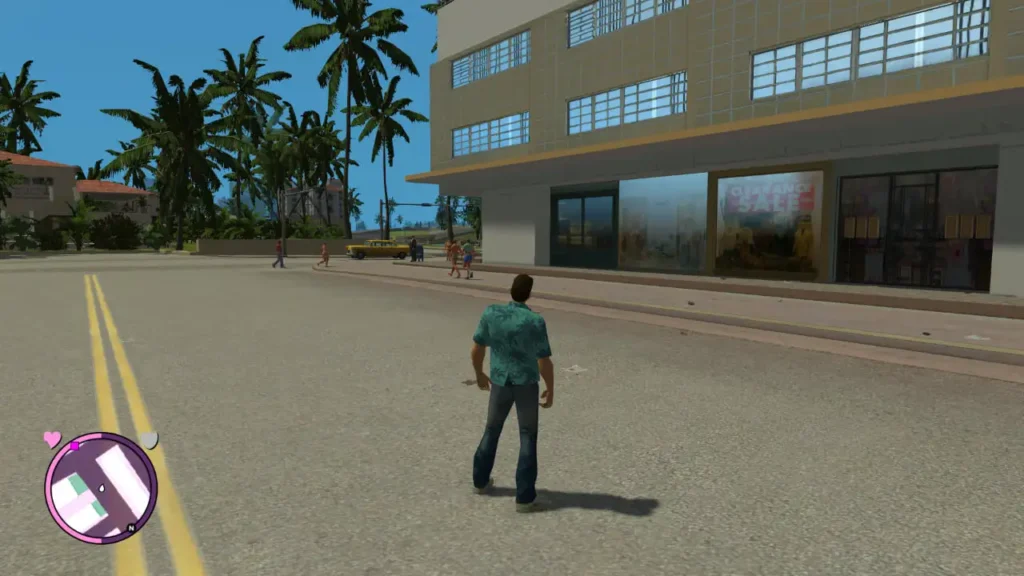
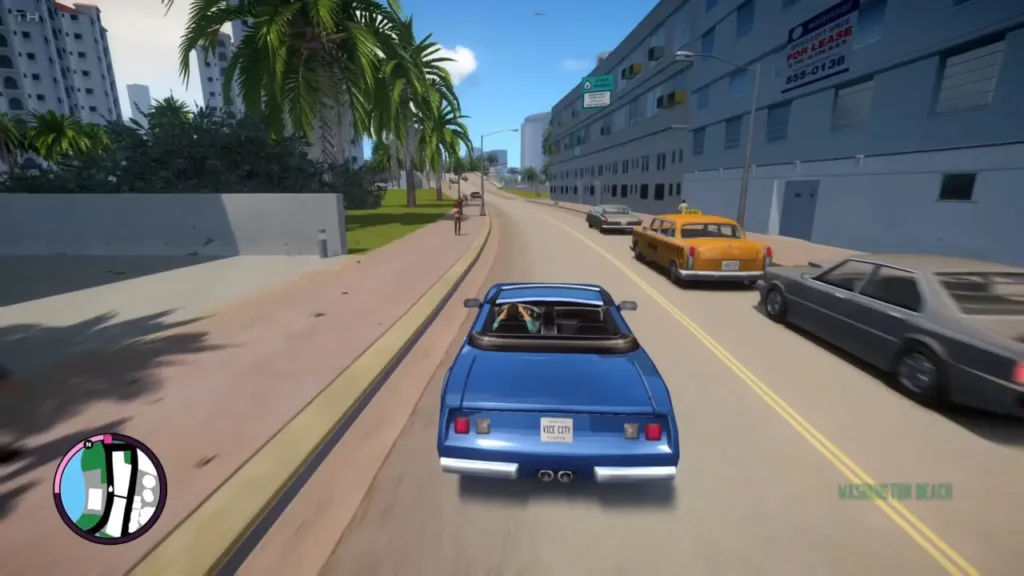
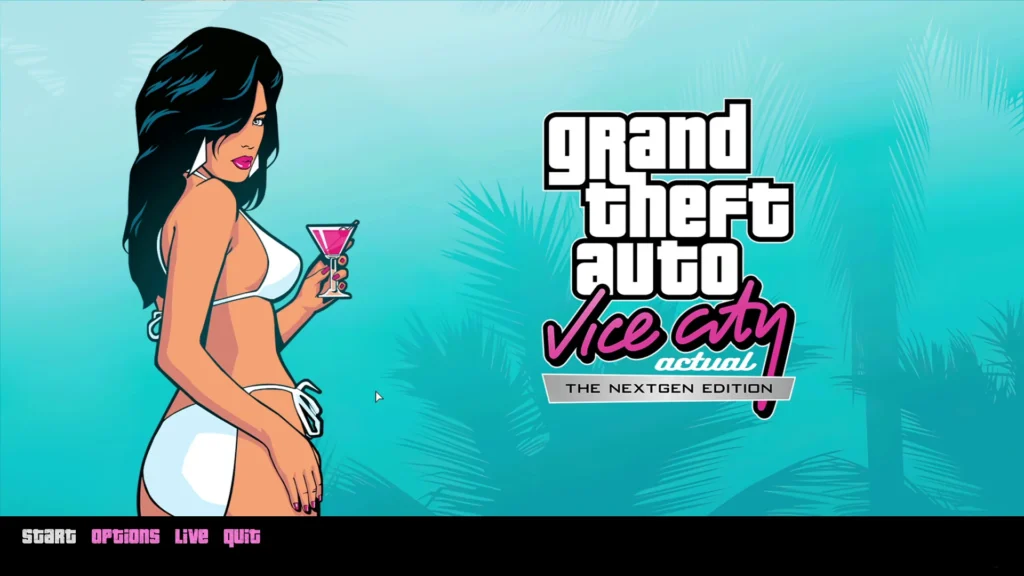
The GTA Vice City Actual Next Gen Edition is a community-driven modification that rebuilds the visual experience of the original Vice City. We are talking reworked textures, improved character models, enhanced lighting systems, better draw distances, and reflections that actually look convincing. It sits somewhere between the original PC release and what Rockstar attempted with the GTA Trilogy Definitive Edition — except, frankly, many players argue this mod does it better.
That last point is my opinion, but spend five minutes comparing screenshots and you will likely agree.
System Requirements to Install GTA Vice City Actual Next Gen Edition
Before you download anything, make sure your system can handle it. This mod pushes the original engine harder than you might expect.
| Component | Minimum Requirement | Recommended |
|---|---|---|
| Operating System | Windows 7 64-bit | Windows 10/11 64-bit |
| Processor | Intel Core i3 / AMD equivalent | Intel Core i5 or higher |
| RAM | 4 GB | 8 GB |
| Graphics Card | NVIDIA GT 730 / AMD equivalent | NVIDIA GTX 1050 or higher |
| Storage | 5 GB free space | 8 GB free space (SSD preferred) |
| DirectX | Version 10 | Direction 11 or 12 |
One thing I noticed during my own setup — if you are running integrated graphics, you are going to have a rough time. Dedicated GPU is not optional here despite what some forum posts claim.
Step-by-Step Guide to Install GTA Vice City Actual Next Gen Edition
Here is the part most people come for. Follow these steps carefully and you should be up and running within 20 minutes.
Step 1: Install the Nextgen base Game First
Get your base nextgen game first to install actual nextgen mod inside base game, as you can get here 👇
OR Else if you dont wanna install like i did inside video, you can get installed + fixed (Modified BY me) Only installed and made together game by me, well iam not the devloper of the game understand please.
Get Actual Next-Gen GTA Vice city full pack game without installation. 👇✔️
Do not skip that middle step. I made that mistake the first time and spent an hour troubleshooting a problem that did not actually exist.
Step 2: Download the Actual Next Gen Edition Mod Files
Head over to trusted modding platforms to grab the files:
- Visit gtaforums.com — well-established sources for GTA modifications.
- Search for “GTA Vice City Actual Next Gen Edition.”
- Download the latest version available. File sizes typically range between 1.5 GB and 3 GB depending on the version.
- Extract the downloaded archive using 7-Zip or WinRAR.
Always scan downloaded files with your antivirus software. Common sense, but worth repeating.
Step 3: Back Up Your Original Game Files
This step is not glamorous but it will save you real frustration later.
- Navigate to your Vice City installation folder (usually
C:\Program Files\Rockstar Games\Grand Theft Auto Vice City). - Copy the entire folder to a backup location.
- Label it clearly — something like “Vice City Original Backup.”
Step 4: Install the Mod
Now the actual installation:
- Open the extracted mod folder. (GTA VCANGE v7.0 (Main)
- Look for a readme or installation text file. Read it. Seriously, read it — mod authors include version-specific instructions that generic guides like this one cannot always cover.
Here’s full tutorial:-
- Find this Cleanup Batch (first) inside MOD PACK [GTA VCANGE v7.0]
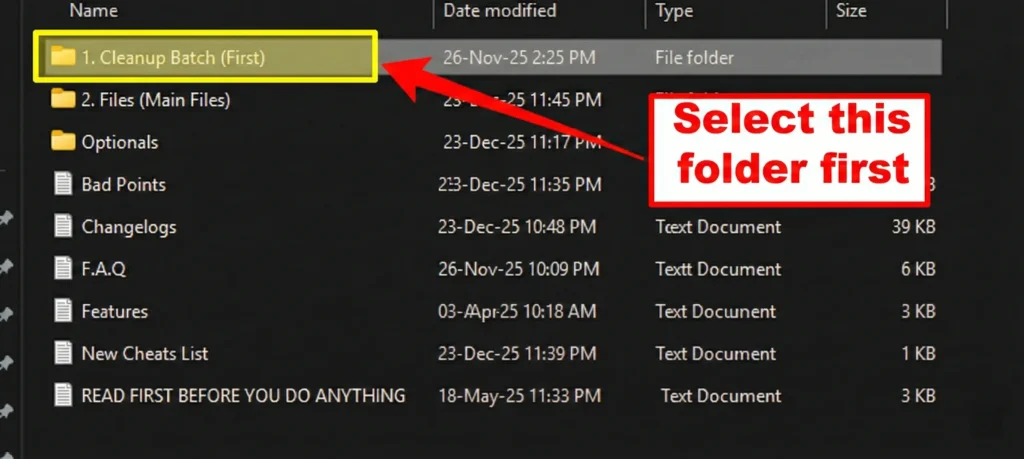
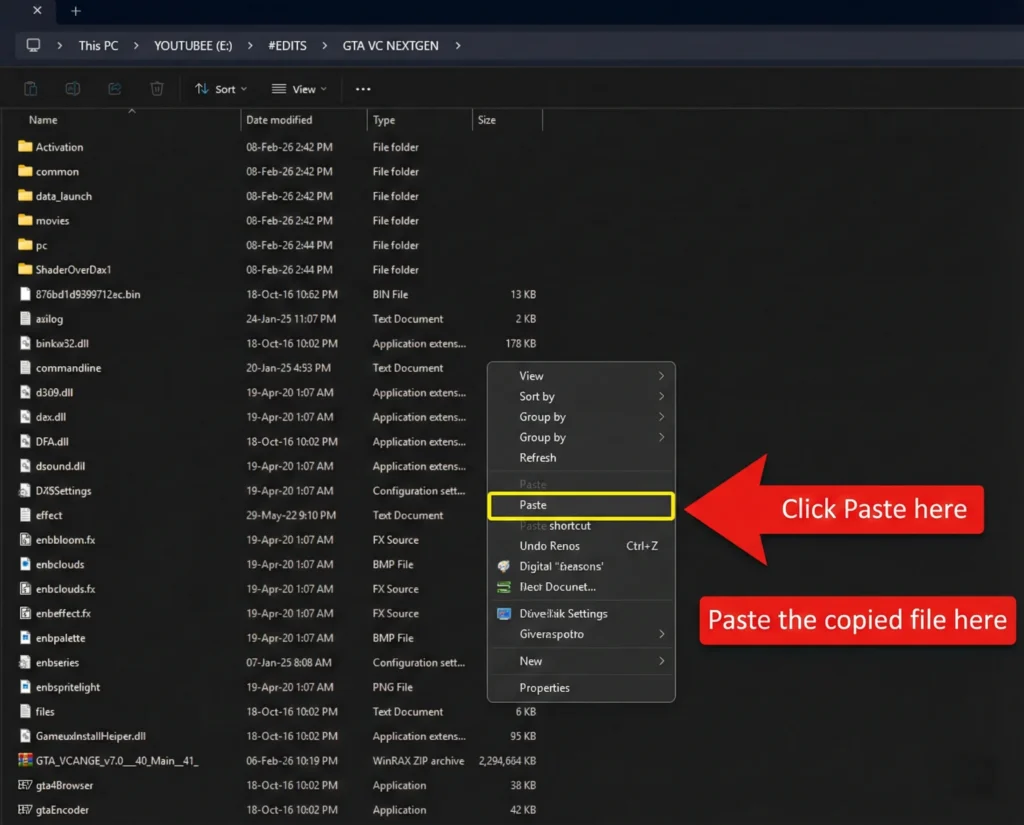
2. Copy the Windows batch file named as VICE CITY NEXT GEN CLEANUP, this is used to clean the old Nextgen files inside the NEXTGEN game.
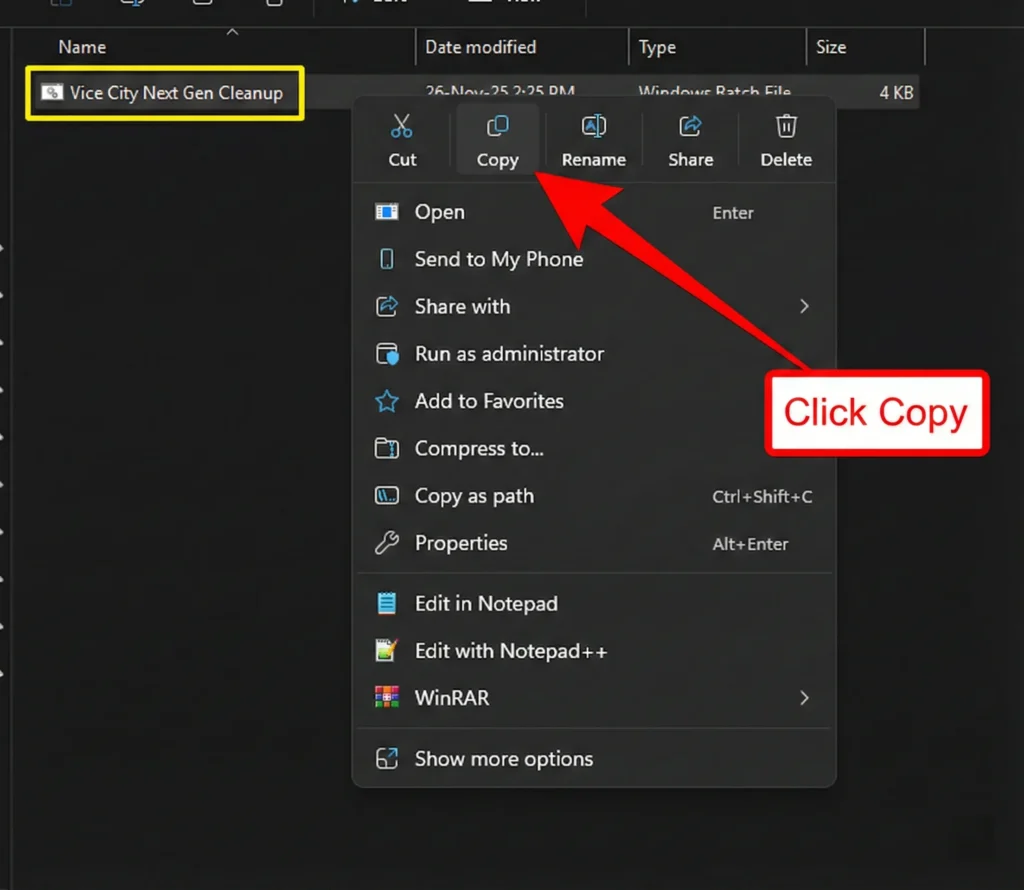
3. Paste this windows batch file inside GTA VC NEXT GEN EDITION GAME, Remember we are removing the OLD Next gen game files and installing the actual Nextgen GTA VICE CITY Life.
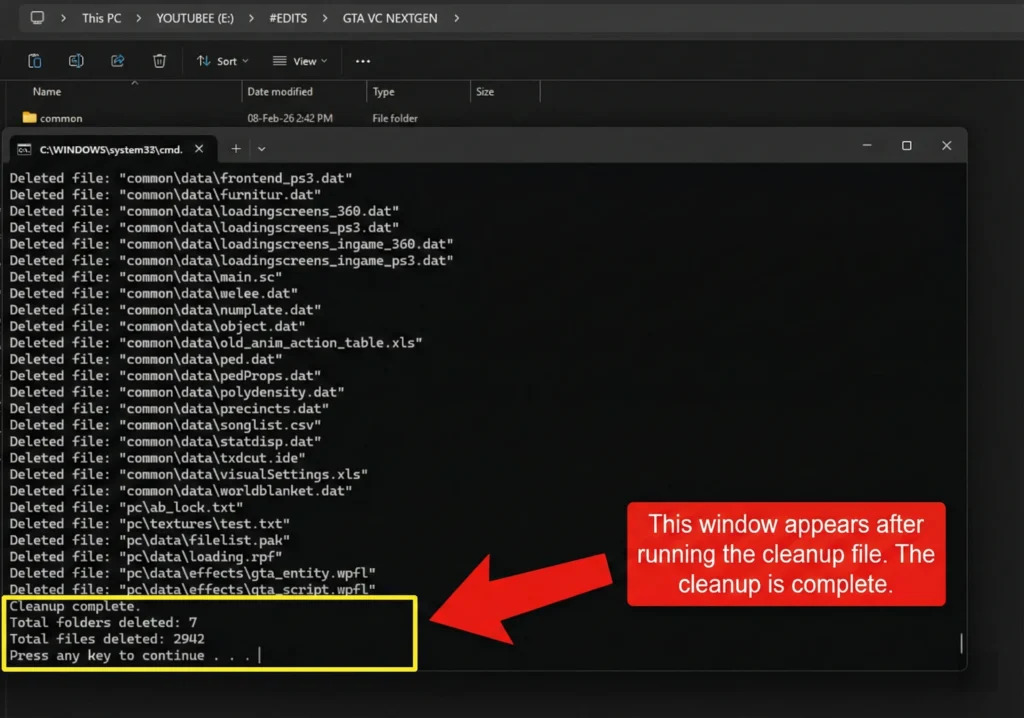
4. After you pasted inside game folder, when you click on batch file CMD will run like this. It mentioned as Deleted all old files.
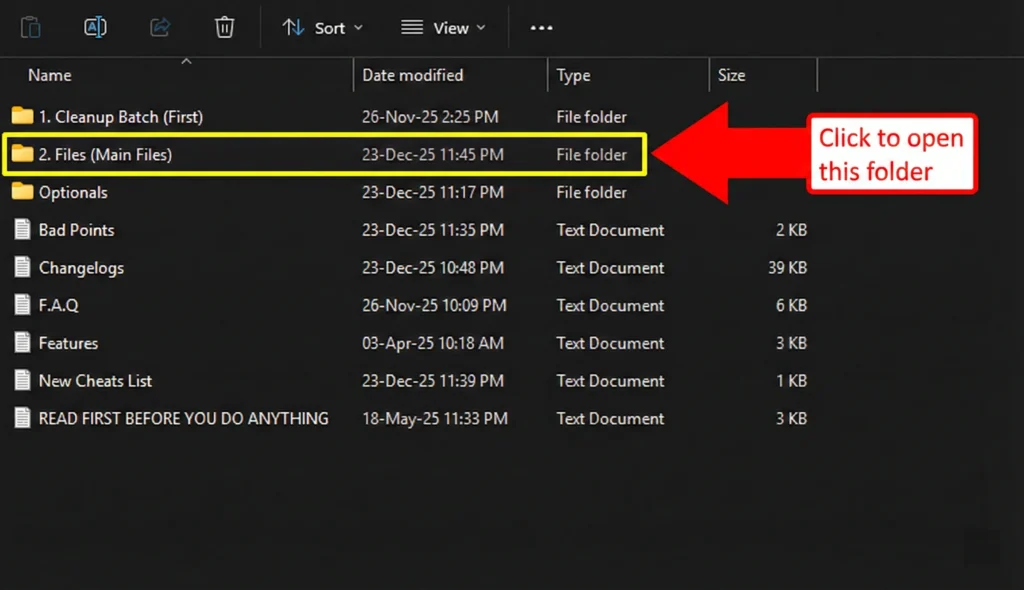
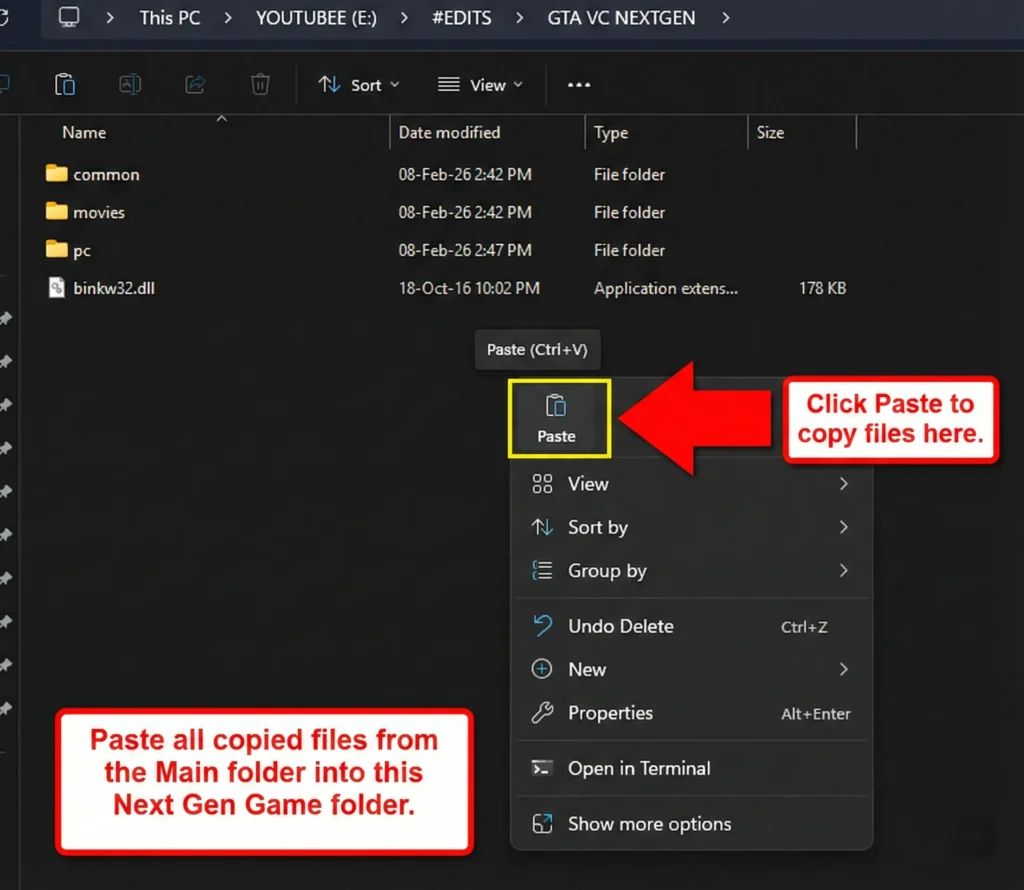
5. Now come back into MOD PACK [GTA VCANGE v7.0] Folder and Select FILES Folder (Main files)
6. Copy all Main files
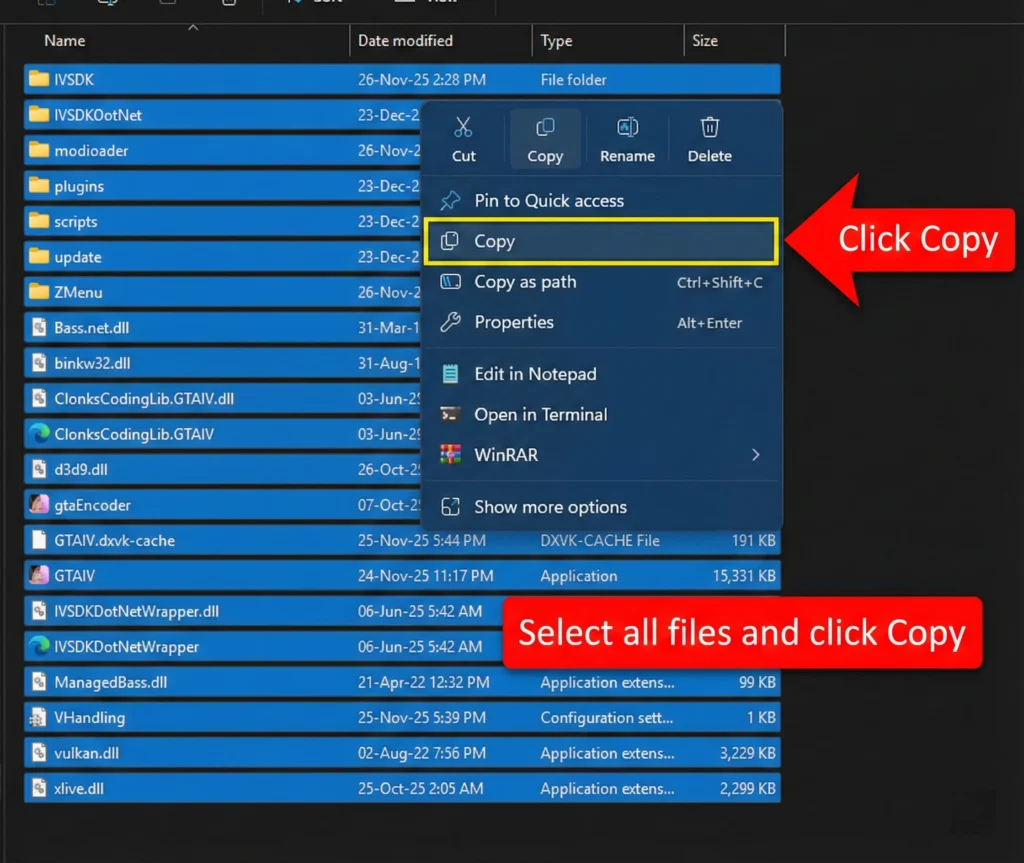
7. and paste into GTA vc Nextgen folder where we removed old files.
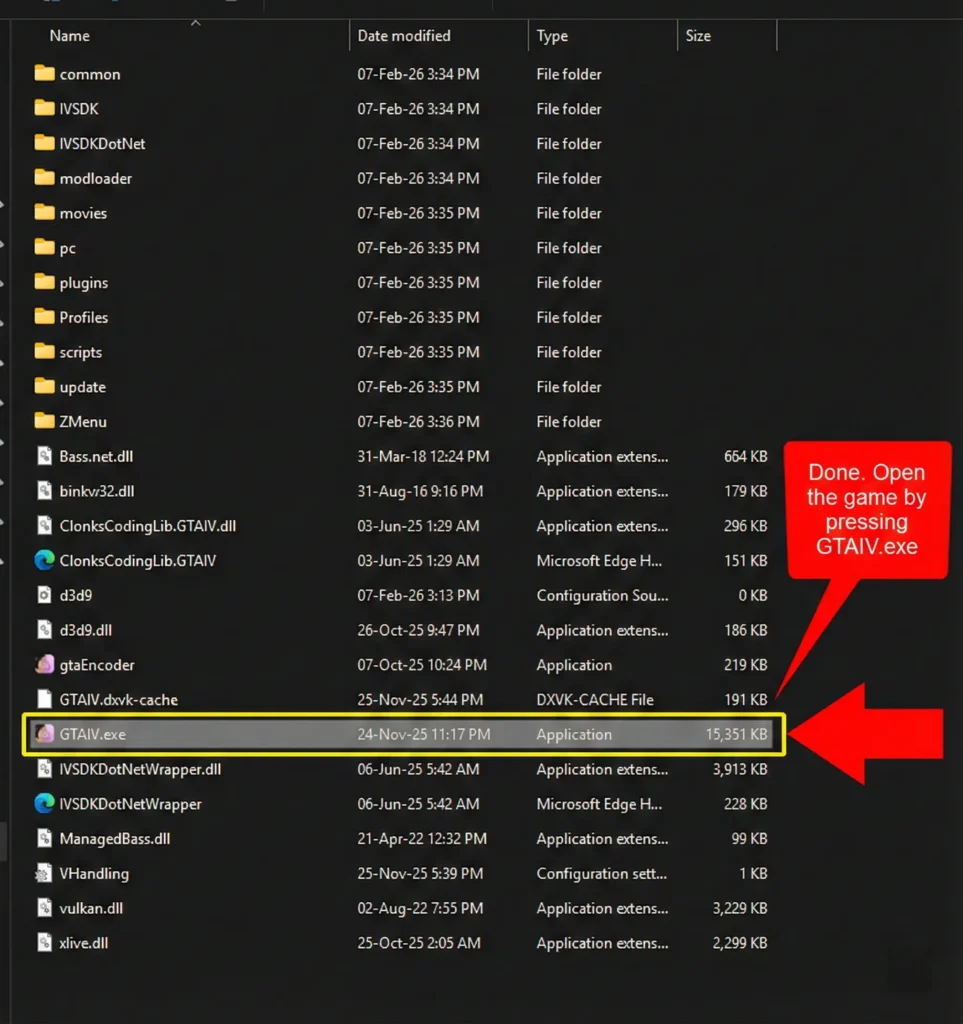
Done. Open the game by pressing GTA VC
Follow the video for installation proces
VIDEO HERE
Step 5: Configure and Launch
- Run the game through the modded executable if one is provided.
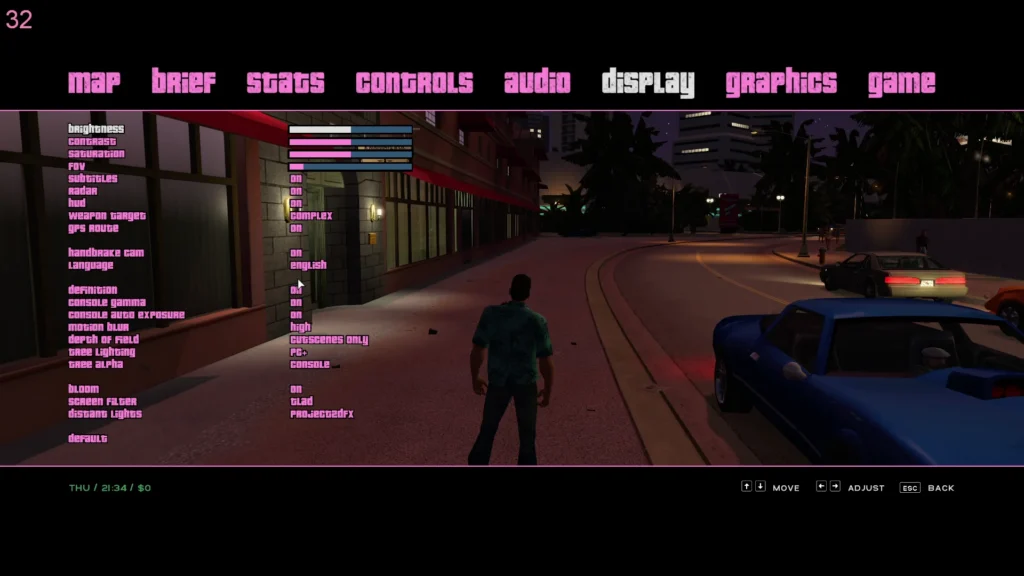
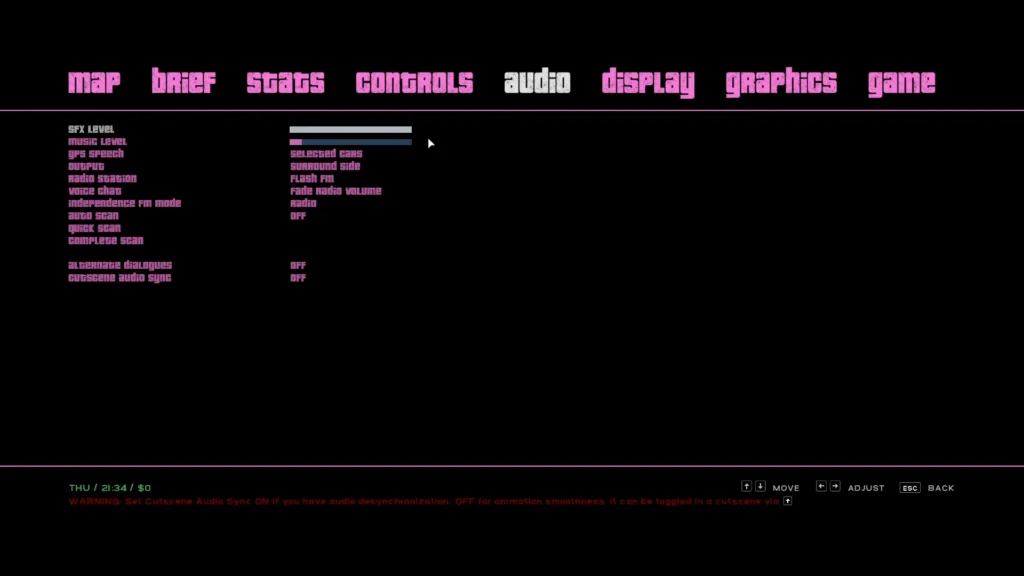
- Adjust graphics settings in the options menu. Start with medium settings and work upward.
- If the game crashes on launch, try running it in compatibility mode for Windows 7 and as administrator.
Common Installation Issues and How to Fix Them
Not everything goes smoothly every time. Here are problems I have either experienced or seen reported frequently:
- Game crashes on startup: Usually a missing dependency. Install the latest DirectX End-User Runtime and Visual C++ Redistributables.
- Textures not loading properly: Verify you copied files to the correct directory. A misplaced folder is the number one cause.
- Low FPS despite good hardware: Disable any overlays (Steam, Discord, GeForce Experience) and close background applications.
- Resolution issues: Use ThirteenAG’s Widescreen Fix for proper widescreen and ultrawide support.
Why This Mod Is Worth Your Time
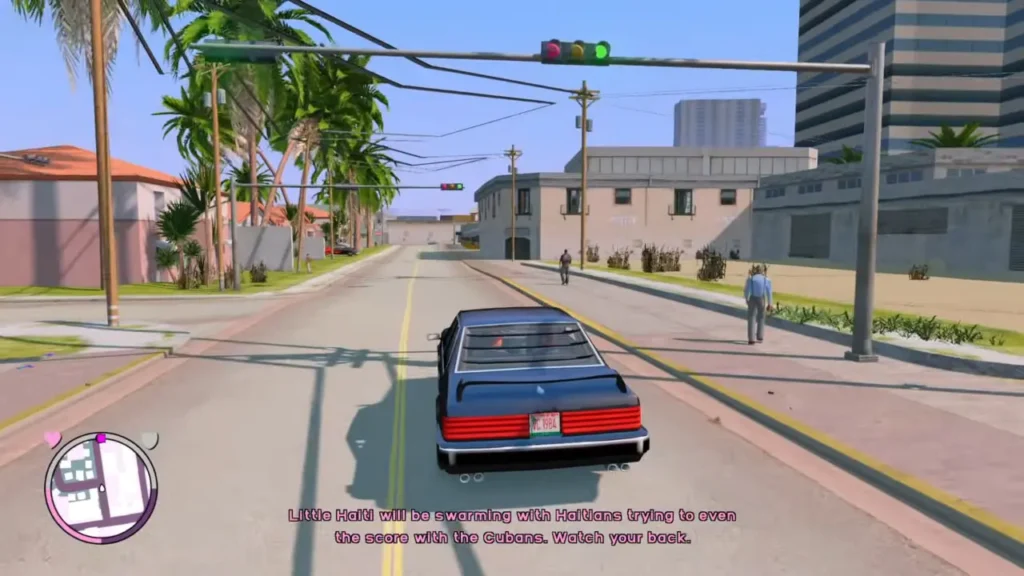
I have played through Vice City more times than I can count since 2002. The Actual Next Gen Edition does not change what makes the game great — it just removes the visual barrier that makes revisiting it feel dated. The neon reflections on wet streets at night genuinely caught me off guard the first time I saw them running in real time.
Compared to the official Definitive Edition remaster, this mod preserves the original art direction more faithfully. The character models look upgraded rather than redesigned. That matters if you care about the game’s identity.
Performance Optimization Tips
A few quick tips that made a noticeable difference in my experience:
- Close Chrome and other memory-heavy applications before launching.
- Set the game process to High Priority in Task Manager.
- If using an NVIDIA card, configure game-specific settings through the NVIDIA Control Panel for better frame pacing.
- Consider pairing the mod with an ENB series preset for additional visual polish — but only if your GPU has headroom.
Final Thoughts
Installing the GTA Vice City Actual Next Gen Edition is straightforward once you follow the steps properly. The biggest mistakes people make are skipping the base game setup or not reading the mod-specific readme files. Take the extra five minutes. It pays off.
If you have already installed this mod, drop a comment below and share your experience — especially if you ran into a problem not covered here. Your insight helps other players. And if you found this guide useful, consider sharing it with fellow Vice City fans who might still be stuck on vanilla graphics in 2025.
Ready to get started? Grab your copy of GTA Vice City, download the mod from ModDB, and bring 1986 Miami into the current generation.