

Looking for a safe FiveM download? Here is my honest guide on how to install FiveM (Steam & Epic), setup Enhanced graphics, and fix common Windows 11 issues.
Look, I love vanilla GTA Online, but let’s be real—getting griefed by a flying bike while trying to sell cargo gets old fast. That’s why I switched to GTA FiveM. It completely changes the game. Instead of mindless chaos, you get actual roleplay, custom cars that handle like real life, and economies that make sense.
But I’ll be honest with you: getting it running isn’t always plug-and-play. I’ve spent way too many nights staring at “CitizenFX” error screens. So, I’m writing this guide to save you that frustration. We’re going to cover everything from the basic FiveM download to getting it running on a laptop without melting your thighs.
FiveM Download: Where to Start
First things first, you need the client. Don’t go clicking random links on shady forums.
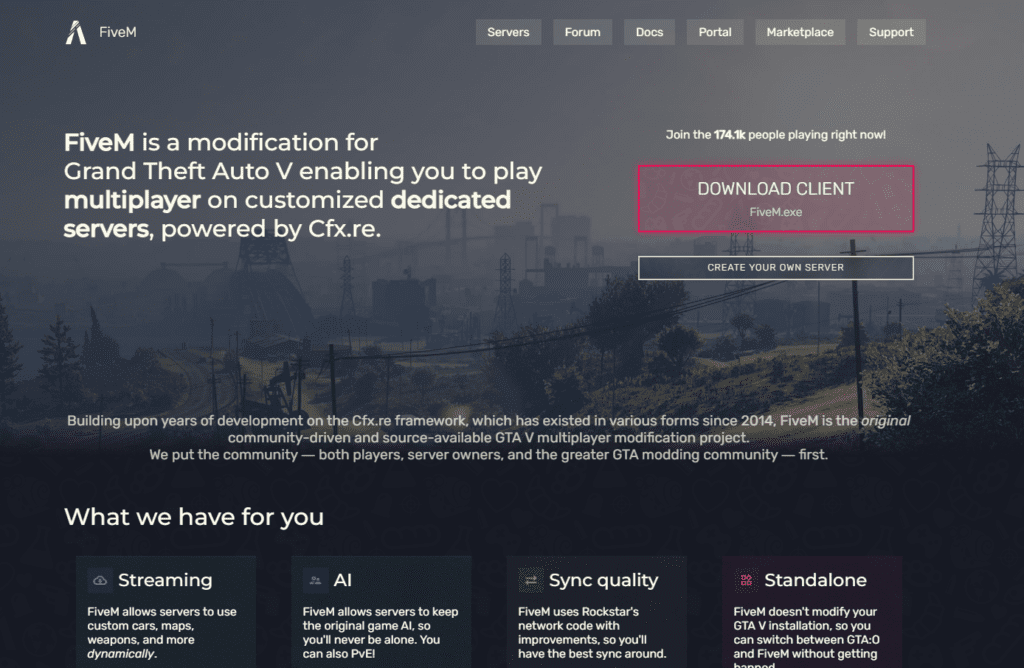
- Head over to the official website for your FiveM download.
- Hit the big “Download Client” button.
- My personal advice: Don’t save the
.exeto your desktop. It creates a mess of files when it installs. Make a new folder calledFiveMin your C: drive or D: drive and drop the installer there. It keeps things tidy.
Warning: Your antivirus might freak out. Mine (Windows Defender) flagged it. It’s a false positive. Just allow it through; FiveM touches deep system files to make the mod work, which makes antivirus software nervous.
How to Install FiveM Steam Version
Most of you are probably on Steam. This is the easiest way to do it, but there is a catch.
If you are searching for how to install FiveM Steam, the process is mostly automatic, but you need to have Steam open in the background.
- Launch Steam first.
- Run the FiveM installer.
- It should automatically detect your
GTA5.exeinSteam/steamapps/common.
If it doesn’t find it? Don’t panic. A file browser window will pop up. You just need to navigate to your Steam library and point it to the GTA V folder. I had to do this manually last week after I moved my game to a new SSD.
How to Download FiveM on Windows 11
I upgraded to Windows 11 recently, and how to download FiveM on Windows 11 is slightly different because of how the OS handles permissions.
- Run as Admin: Windows 11 is super strict. Right-click the installer and hit “Run as Administrator.”
- Game Mode: Turn Windows “Game Mode” ON. It actually helps with FiveM stutters.
- Disable Fullscreen Optimizations: If your game crashes on launch, find the
FiveM.exe, right-click > Properties > Compatibility, and check “Disable Fullscreen Optimizations.” Thank me later.
How to Download FiveM on Laptop
I play on my gaming laptop when I’m traveling, and the performance can be hit or miss. If you are looking up how to download FiveM on laptop, the installation is the same, but the setup is critical.
- Plug It In: Never play FiveM on battery. The FPS drops to unplayable levels.
- Heat Management: FiveM pushes your CPU harder than base GTA. Prop up the back of your laptop for airflow.
- WiFi vs. Ethernet: FiveM servers stream assets (cars, maps) in real-time. WiFi can cause “texture loss” (where the road disappears). Use a cable if you can.
How to Setup FiveM with GTA 5 Enhanced
Okay, this is a big one. People always ask me how to setup FiveM with GTA 5 Enhanced or how to play FiveM with GTA 5 enhanced.
Here is the truth: The “Expanded & Enhanced” version you see on PS5 isn’t natively on PC yet. However, on PC, we make our own enhanced version.
- Graphics Mods: To get that “Enhanced” look, you need mods like NVE (NaturalVision Evolved) or QuantV.
- Resade: This is a lighter option if your PC isn’t a beast.
- Installation: You usually install these into your
FiveM Application Data>citizenfolder.
My take: Be careful with NVE. It looks gorgeous, but it eats roughly 15-20 FPS. If you are competitive, stick to standard graphics.
How to Play FiveM Without GTA 5?
I see this search query all the time: “How to play FiveM without GTA 5”.
I hate to be the bearer of bad news, but you can’t. FiveM is a modification, not a standalone game. It relies on the base GTA V files to render the world, the physics, and the characters.
- You must own a legitimate copy (Steam, Epic, or Rockstar).
- Pirated copies won’t work because FiveM checks your “entitlement” (license) with Rockstar Social Club every time you launch.
Final Steps & Joining a Server
Once you’re installed, launch the purple FiveM icon. You’ll be asked to link your discord—do it. Most good servers require it.
If you are new, don’t jump into a “100k or Die” server. Search for “Semi-Serious” or “Beginner Friendly.” It’s much more chill, and people are usually willing to help you figure out the controls.
External Link Resources:
Ready to start your criminal empire? Launch that installer, join a server, and maybe I’ll see you in the city. Just don’t crash into my car.