
Vice City on the GTA 4 engine just got its biggest update yet. GTA Vice City Actual NextGen Edition V8.0 is out, its free, and in this guide I’ll show you exactly how I installed it on my PC, one click at a time.
There is one step here you can’t skip, the cleanup. Most people miss it, and then the game crashes or won’t even start. I’ll point it out when we get there.
What is Actual NextGen Edition V8.0?
People mix this up all the time, so quick background. Vice City NextGen Edition is a fan project by Revolution Team that rebuilds Vice City on the GTA 4 engine. Actual NextGen Edition, made by GTATrilogyGames, is a huge upgrade that goes on top of it. So this is not a standalone download. You need a clean NextGen Edition or an older Actual NextGen already installed, and V8.0 goes on top of it.
If you don’t have it yet, I made a full video for that. Watch it first, then come back here.
Before you start: what you need first
Important: Actual NextGen Edition V8.0 is not a full game. It only installs on top of one of these two:
- A clean install of GTA Vice City NextGen Edition (the base game by Revolution Team), or
- An older version of Actual NextGen Edition that you already have. V8.0 updates it.
If you only have the original 2002 Vice City or the Definitive Edition, install NextGen Edition first. The cleanup step in this guide removes the old NextGen files before V8.0 goes in, so it has to be a NextGen folder.
Don’t have NextGen Edition yet? Get the base game
Get the clean NextGen base game first, then install V8.0 inside it 👇
Or get it already installed (no installation)
If you don’t wanna install it step by step like i did in the video, you can get the full Actual NextGen pack already installed and fixed by me. Just to be clear, i only put it together, i’m not the developer of the game.
GTA VICE CITY actual NEXTGEN (No installation) Original100% SAFE ✅ AND SECURED ✅Download the Actual NextGen Edition V8.0 mod pack
Once you have NextGen Edition (or an older Actual NextGen) installed, grab the V8.0 main file. You can ignore the optionals for now, get the game running first then add extras later.
GTA VC Actual NEXTGEN edition v8.0 Mod PACK only100% SAFE ✅ AND SECURED ✅Official topic by the mod’s author: GTAForums.
Also have ready
- WinRAR or 7-Zip to open the download
- A backup copy of your game folder. The cleanup deletes files, and a backup only takes two minutes, so do it now
Step 1: Extract the files
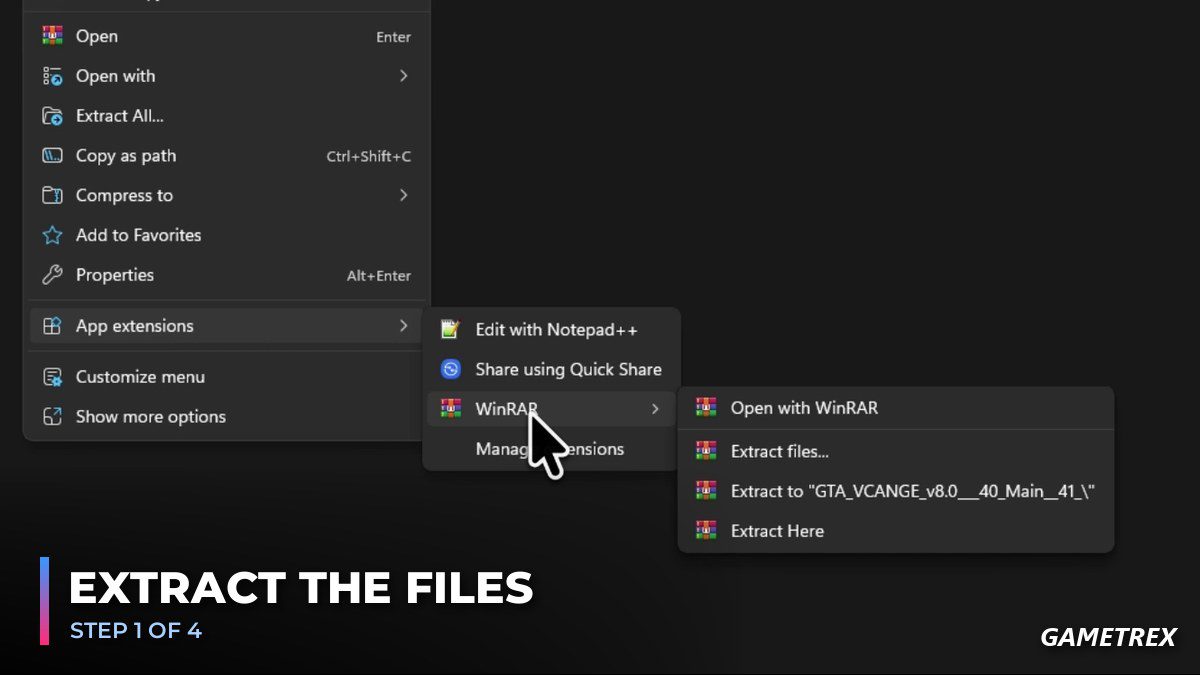
- Right-click the V8.0 main file.
- Go to WinRAR and choose Extract to the folder name. On Windows 11 it may sit under App extensions.
- Wait. It’s a big file so this takes a while.
Open the new folder and you’ll see two folders, 1. Cleanup Batch (First) and 2. Files (Main Files), plus a few text files: Changelogs, F.A.Q, Features, New Cheats List and one called READ FIRST BEFORE YOU DO ANYTHING. Yes, open that one and actually read it.
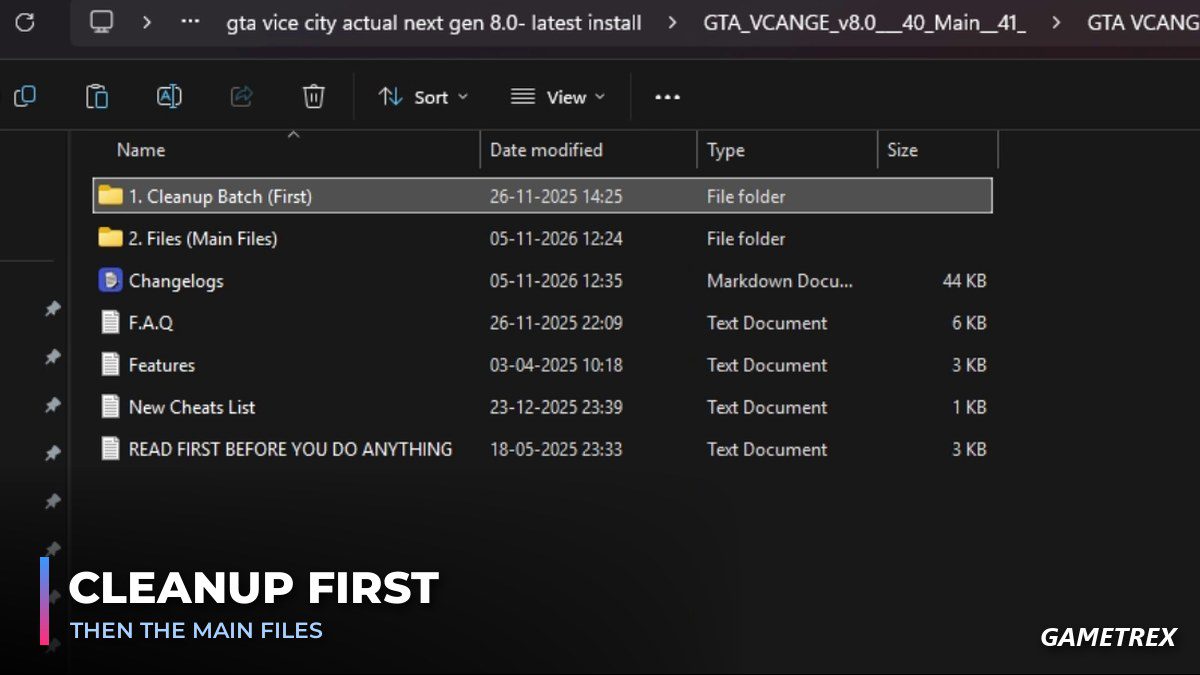
Step 2: Run the cleanup (don’t skip this)
- Open 1. Cleanup Batch (First) and copy the small file called Vice City Next Gen Cleanup.
- Go to your game folder, the one where the game’s EXE file lives.
- Paste it right there. Not on the desktop, not in Downloads.
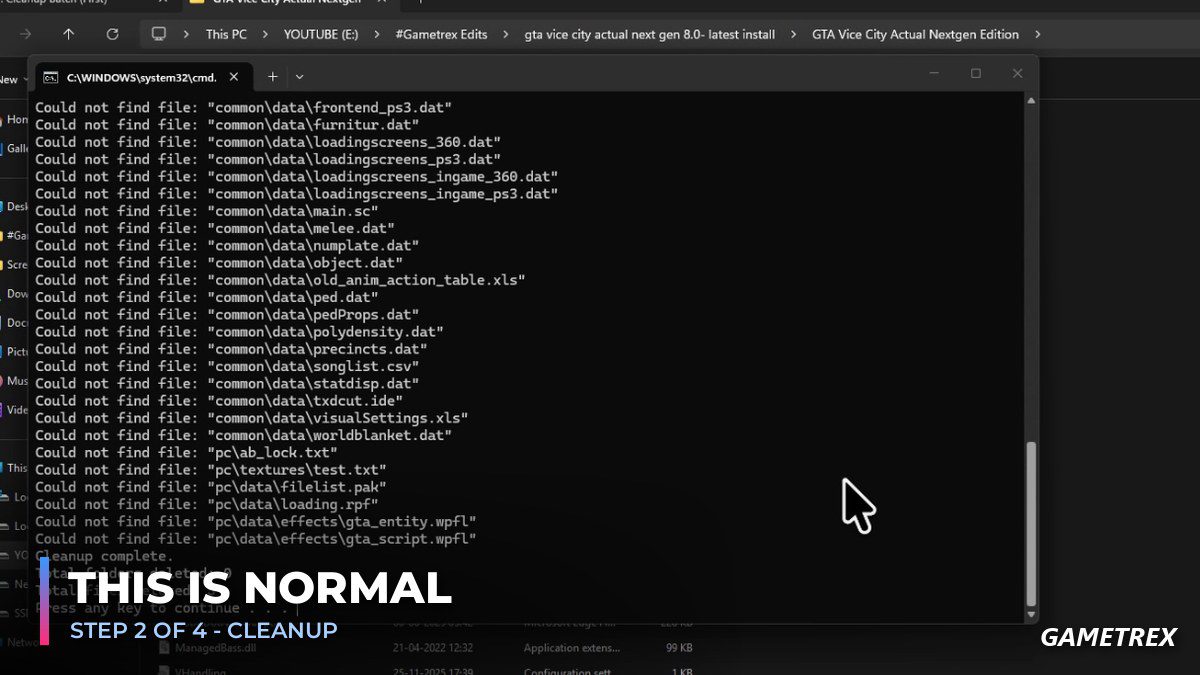
- Double-click it. A black window opens and starts removing old files.
You’ll see a lot of lines saying could not find file. Don’t worry, thats normal, its just checking for old leftovers. Don’t touch anything until it finishes.
Step 3: Copy the main files
- Go back to the extracted folder and open 2. Files (Main Files).
- Press Ctrl + A to select everything inside. Everything inside, not the folder itself.
- Copy it and paste it into your game folder.
- When Windows asks, choose Replace the files in the destination.
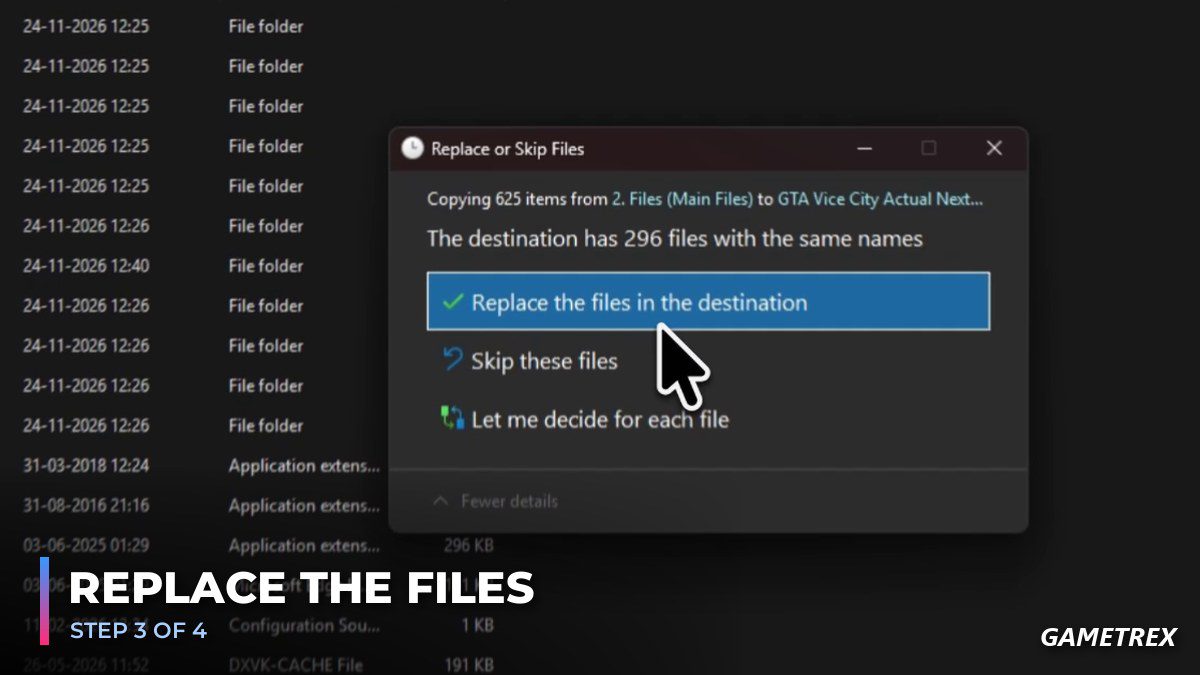
The copy takes a few minutes. When its done you’ll see folders like plugins, scripts and update sitting right next to the game’s EXE file.
Step 4: Launch the game
Double-click the EXE and let it load. You’ll get the Rockstar logos, the intro, and welcome back to Vice City. On first launch open the pause menu and check brightness, contrast, saturation and field of view, because they change the look a lot.
How does it run?
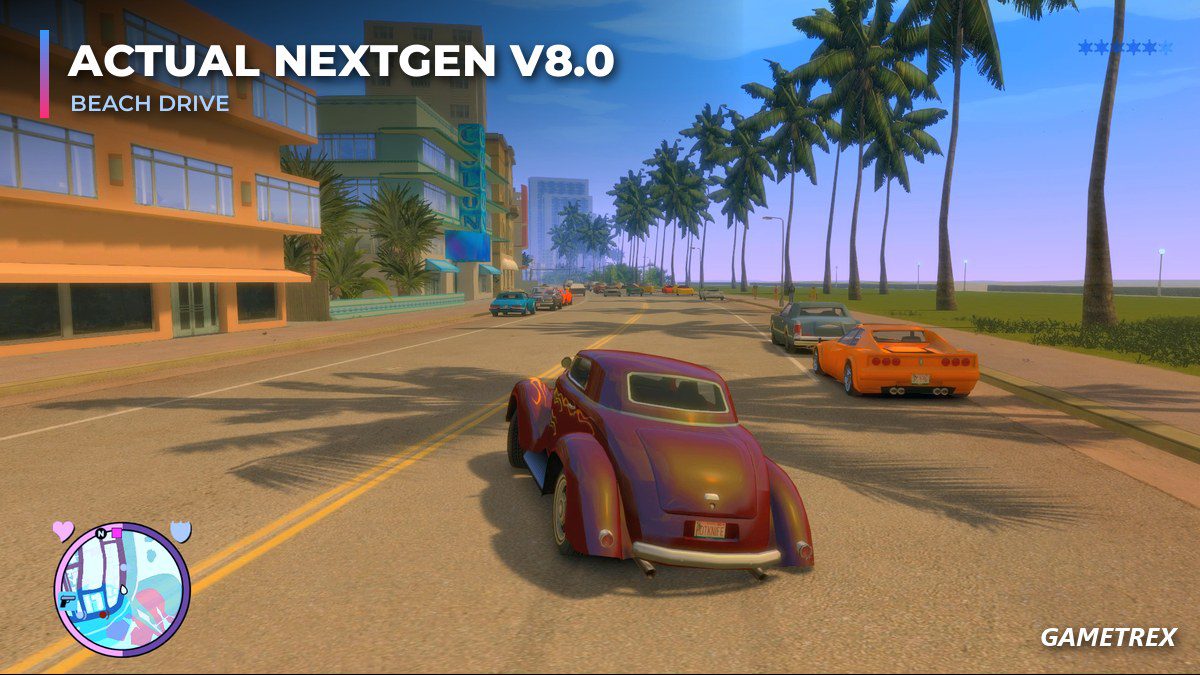
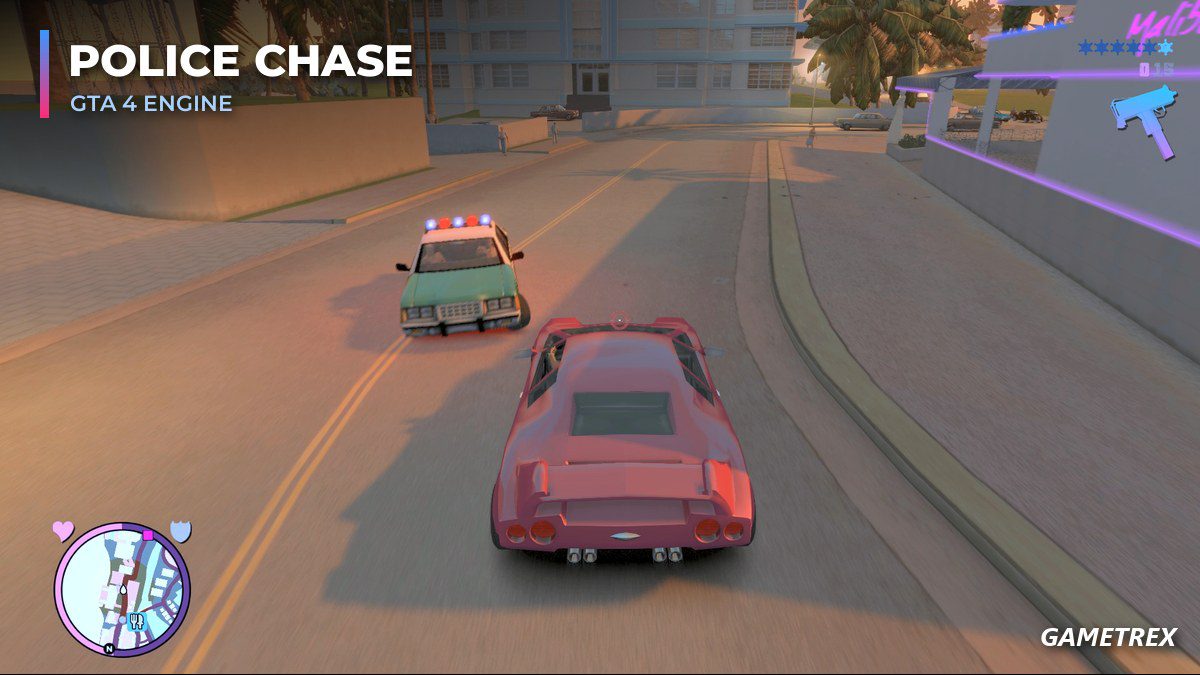
I didn’t just look at the menu. I drove along the beach at sunset, walked around Washington Beach at night, fired the rocket launcher and then went full chaos with a tank. Tank shells, cars flying, police cars, ambulances and fire all on the street at once, and on my PC it still held up. Then I got wasted of course, some things haven’t changed since 2002.
Game crashing or not starting?
- Go back to the cleanup step first. Make sure the file was inside the game folder when you ran it.
- Check that you copied what’s inside Main Files, and said yes to replacing files.
- Check the READ FIRST and F.A.Q files for what your install needs.
- If nothing works, restore your backup and start again.
The game runs on the GTA 4 engine, so GTA 4 fixes can help here too. If it stutters, watch my GTA 4 lag fix video. And if you play the original game, here is how to install the GTA Vice City ReShade mod.
Final words
So that’s version 8.0: extract the files, run the cleanup, copy the main files, launch the game. Big credit to GTATrilogyGames and Revolution Team for making this. Did your install work on the first try? Tell me in the comments.