

Grand Theft Auto V has been one of the most visually modded games in history, and the modding community continues to push its graphical boundaries far beyond what Rockstar Games originally intended.
One of the most celebrated visual overhaul mods ever created for GTA 5 is NaturalVision Enhanced (NVE), developed by the talented modder Razed. This comprehensive reshade and texture overhaul transforms the game’s visuals into something genuinely breathtaking, making Los Santos look more like a cinematic open-world experience than a decade-old game engine.
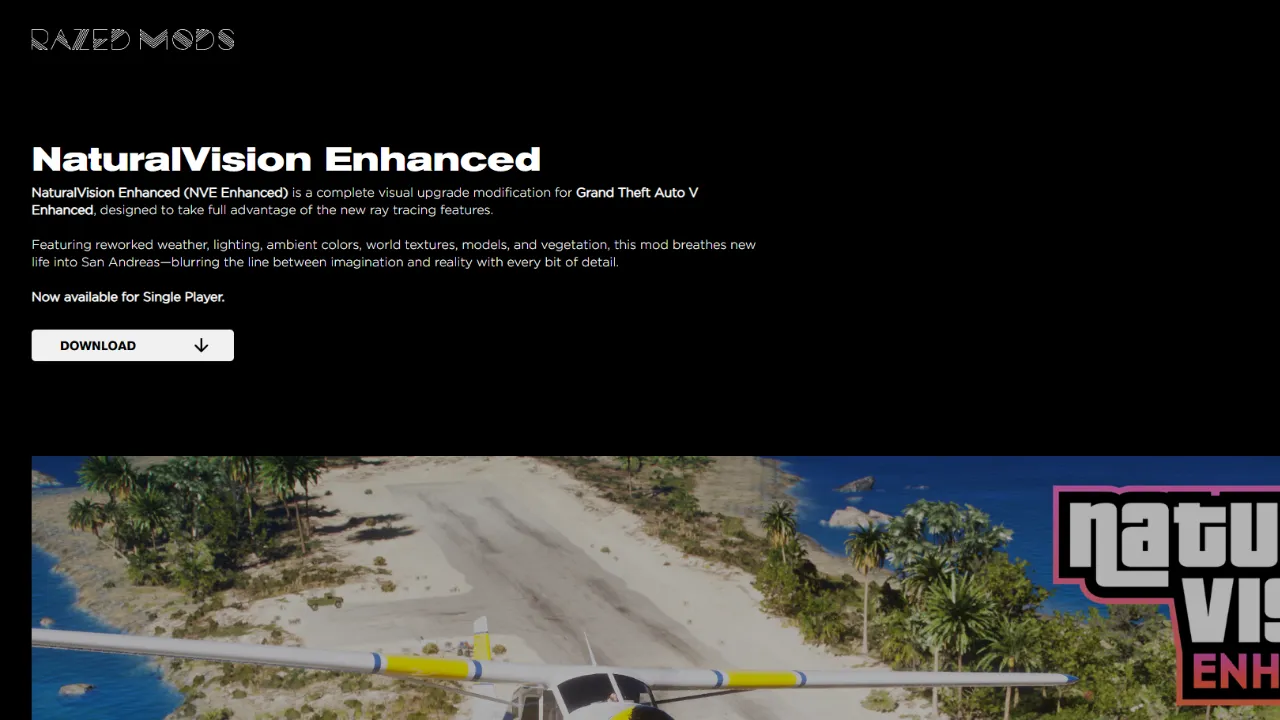
With the release of GTA 5 Enhanced for PC in 2025, many players are eager to combine Rockstar’s updated visuals with the legendary NaturalVision Enhanced mod. This guide will walk you through everything you need to know — from prerequisites and downloads to installation and troubleshooting — so you can get NVE running smoothly on your GTA 5 Enhanced PC version.
What Is NaturalVision Enhanced?
Before diving into the installation process, it helps to understand what NaturalVision Enhanced actually does. NVE is a visual overhaul mod that includes:
- Reworked weather systems with more realistic cloud formations, rain, fog, and atmospheric scattering
- Improved lighting and shadows that react more naturally to the time of day
- Enhanced texture work across roads, vegetation, buildings, and water surfaces
- ReShade post-processing effects including ambient occlusion, color grading, and depth of field
- Reworked natural environments with denser and more detailed foliage
- Traffic density and visual adjustments for a more immersive world
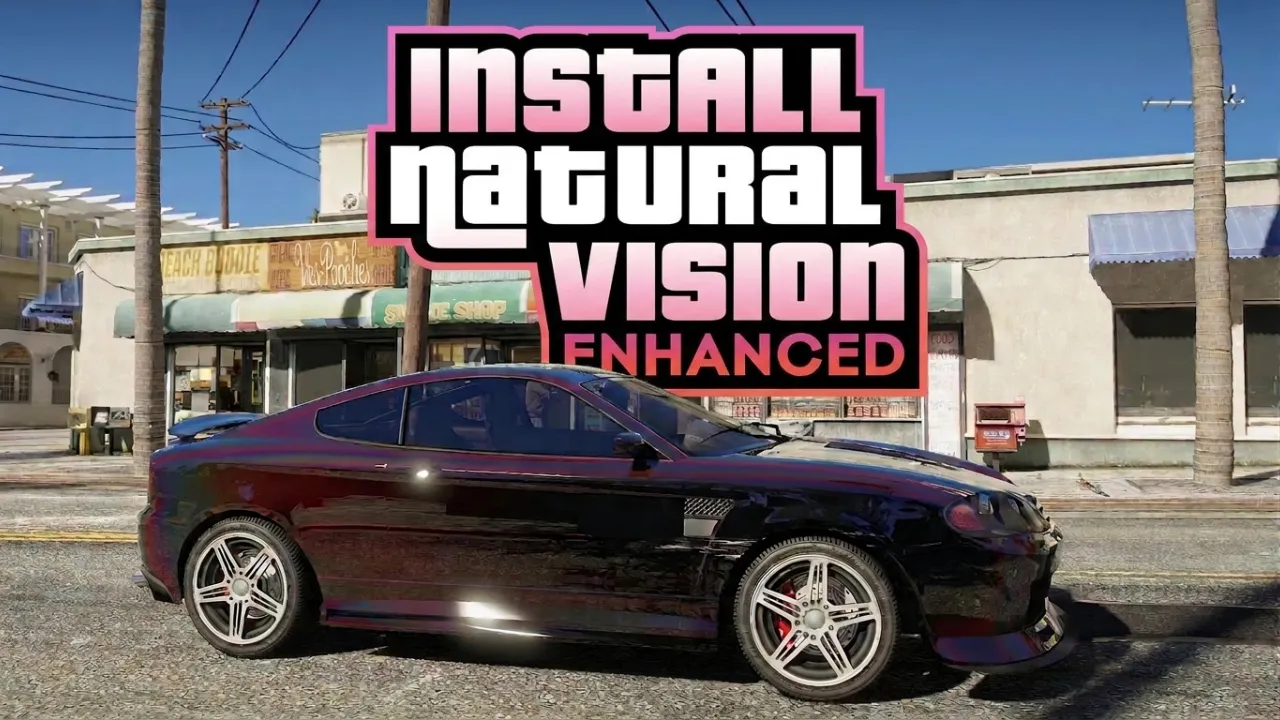
The result is a version of GTA 5 that looks dramatically more photorealistic, especially during golden-hour sunsets, stormy weather, and nighttime city drives.
Also read: GTA 5 in 2GB Download: Is It Real or Fake? Full Truth Revealed
What You Need Before Installing NVE
Getting NaturalVision Enhanced working properly requires a bit of preparation. Rushing the installation without the correct foundation is the number one reason players run into errors. Make sure you have everything listed below before you begin.
1. A Legitimate Copy of GTA 5 Enhanced
NVE requires a legitimate, fully updated copy of GTA 5 Enhanced on PC. The mod will not function correctly on outdated or pirated versions. Make sure your game is fully updated through the Rockstar Games Launcher, Steam, or the Epic Games Store.
GTA 5 — Official Download Platforms
Buy or download from these legitimate sources only. Avoid third-party key sites.
PC
Rockstar Games
Official Publisher · PC
Buy directly from the developer. Includes GTA V Enhanced & Legacy. Requires Rockstar Social Club login.
Buy on Rockstar StoreSteam
Valve · PC
GTA V Enhanced with ray tracing, DLSS/FSR, and DirectStorage. 90% positive reviews. Watch for Steam sales.
Buy on SteamEpic Games Store
Epic · PC
Includes GTA Online and Criminal Enterprise Starter Pack. Epic occasionally gives it away free — check their weekly offers.
Buy on Epic GamesConsole
PlayStation Store
Sony · PS4 / PS5
PS5 version with ray tracing, up to 4K/60fps, HDR, Tempest 3D audio, and DualSense haptic feedback.
Buy on PlayStation StoreXbox / Microsoft Store
Microsoft · Xbox One / Series X|S
Available on Xbox Series X|S and Xbox One. Also included with Xbox Game Pass — great value if already subscribed.
Buy on Xbox Store2. Script Hook V (Compatible Version)
Script Hook V by Alexander Blade is the backbone of most GTA 5 mods. It allows custom scripts to interact with the game engine. You’ll need to download the version that is compatible with your current GTA 5 Enhanced build. Always use the latest release from the official Script Hook V website (dev-c.com). Note that after major game updates, you may need to wait for Script Hook V to be updated before mods will work again.
3. OpenIV
OpenIV is an essential modding tool for GTA 5 that allows you to read and modify the game’s archive files. You’ll need this to install NVE’s texture files and world data. Download it from the official OpenIV website and install it before proceeding.
4. OpenIV’s “mods” Folder Setup
Rather than replacing original game files directly (which can cause problems with updates and multiplayer), OpenIV uses a mods folder system. You must enable this by installing the ASI Loader and OpenIV.asi through OpenIV’s built-in tools section. This creates a safe sandbox for your mod files.
5. ReShade (Compatible Version)
NaturalVision Enhanced uses ReShade for its post-processing effects. You’ll need to download the correct version of ReShade from the official ReShade website (reshade.me). Make sure you download a version that is compatible with GTA 5 Enhanced’s DirectX 12 rendering pipeline.
6. NaturalVision Enhanced Files
Finally, you’ll need the actual NVE mod files. NaturalVision Enhanced is available through Razed’s official Patreon page. There is a free version and a premium supporter version, with the premium version offering additional features and more frequent updates. Always download directly from the official source to avoid tampered or malware-infected files.
Also read: How to Disable BattlEye for Single-Player Mods in GTA 5 (2026 Guide)
How to install NaturalVision Enhanced For GTA 5
With all your prerequisites in order, follow these steps carefully and in sequence.
Step 1: Prepare Your GTA 5 Enhanced Directory
Navigate to your GTA 5 Enhanced installation folder. The default locations are typically:
- Steam:
C:\Program Files (x86)\Steam\steamapps\common\Grand Theft Auto V - Epic Games:
C:\Program Files\Epic Games\GTAV - Rockstar Games Launcher:
C:\Program Files\Rockstar Games\Grand Theft Auto V
Make a complete backup of your game folder before making any changes. This is a crucial step that many beginners skip, only to regret it later.
Step 2: Install Script Hook V
Extract the Script Hook V archive and copy the following files into your main GTA 5 Enhanced directory:
ScriptHookV.dlldinput8.dllNativeTrainer.asi(optional but useful for testing)
Once copied, launch the game briefly to confirm Script Hook V is working. You should see a small version number appear in the top-left corner of the screen on startup.
STEP 3 – INSTALL NATURALVISION ENHANCED
Now for the main event — this is where everything comes together.
- Open the NaturalVision Enhanced zip file using WinRAR or 7-Zip.
- Inside, you’ll see a main package folder — this contains all the core files needed for the mod.
- Go ahead and open that folder.
- You should now see multiple files and folders inside — these are the actual mod components that will transform your game.
- Select EVERYTHING inside that folder — make sure you don’t miss anything.
- Now drag and drop all of those files directly into your GTA 5 directory.
- If Windows prompts you with a message asking to replace existing files — go ahead and click “Yes to All.”
This is completely normal, as the mod needs to overwrite certain game files to work properly. - Once you confirm, the copying process will begin.
Now just wait.
Depending on your system speed and storage type, this could take anywhere from a few seconds to a couple of minutes.
While it’s installing, avoid interrupting the process — don’t close the window or cancel anything.
Once everything finishes copying.
Also read: GTA 5 Lag Fix and Optimization Tweaks
Step 4: Configure Graphics Settings In-Game
Once everything is installed, launch GTA 5 Enhanced and navigate to the graphics settings menu. For the best NVE experience, Razed typically recommends specific in-game settings. Common recommendations include:
- MSAA: Off (ReShade handles anti-aliasing more efficiently)
- Ambient Occlusion: High or Ultra
- Extended Shadow Distance: On
- Reflection Quality: Ultra
- Water Quality: Very High
- Volumetric effects: Ultra or High depending on your hardware
Adjust based on your system’s performance capabilities.
Step 5: Activate the NVE ReShade Preset In-Game
Press the Home key while in-game to open the ReShade overlay. In the preset section, navigate to the NVE .ini file you copied in Step 5 and select it. Once activated, you should immediately notice the visual transformation — richer colors, deeper shadows, improved atmospheric effects, and enhanced clarity.
Troubleshooting Common Issues
- Game crashes on startup: Confirm Script Hook V is updated to match your current GTA 5 version.
- Textures not loading: Double-check that OpenIV.asi is installed and that files are in the mods folder, not original directories.
- ReShade not appearing: Ensure you selected the correct API (DirectX 12) during ReShade installation.
- Poor performance: Lower ReShade shader complexity in the overlay settings and reduce in-game shadow distance.
- Multiplayer ban concerns: Always disable mods before launching GTA Online. Script Hook V automatically blocks itself in online mode, but exercise caution.
Also read: How to Disable BattlEye for Single-Player Mods in GTA 5 (2026 Guide)
Final Thoughts
Installing NaturalVision Enhanced on GTA 5 Enhanced PC is a rewarding process that completely transforms your gaming experience. The combination of Rockstar’s updated engine improvements and Razed’s meticulous visual overhaul creates one of the most stunning open-world environments available in gaming today.
Take your time with each step, always back up your files, and refer to the official NVE documentation for any version-specific details. Once you see Los Santos bathed in NVE’s photorealistic lighting for the first time, every minute of the installation process will feel completely worth it.

One thought on “How to Install NaturalVision Enhanced for GTA 5 Enhanced PC”