
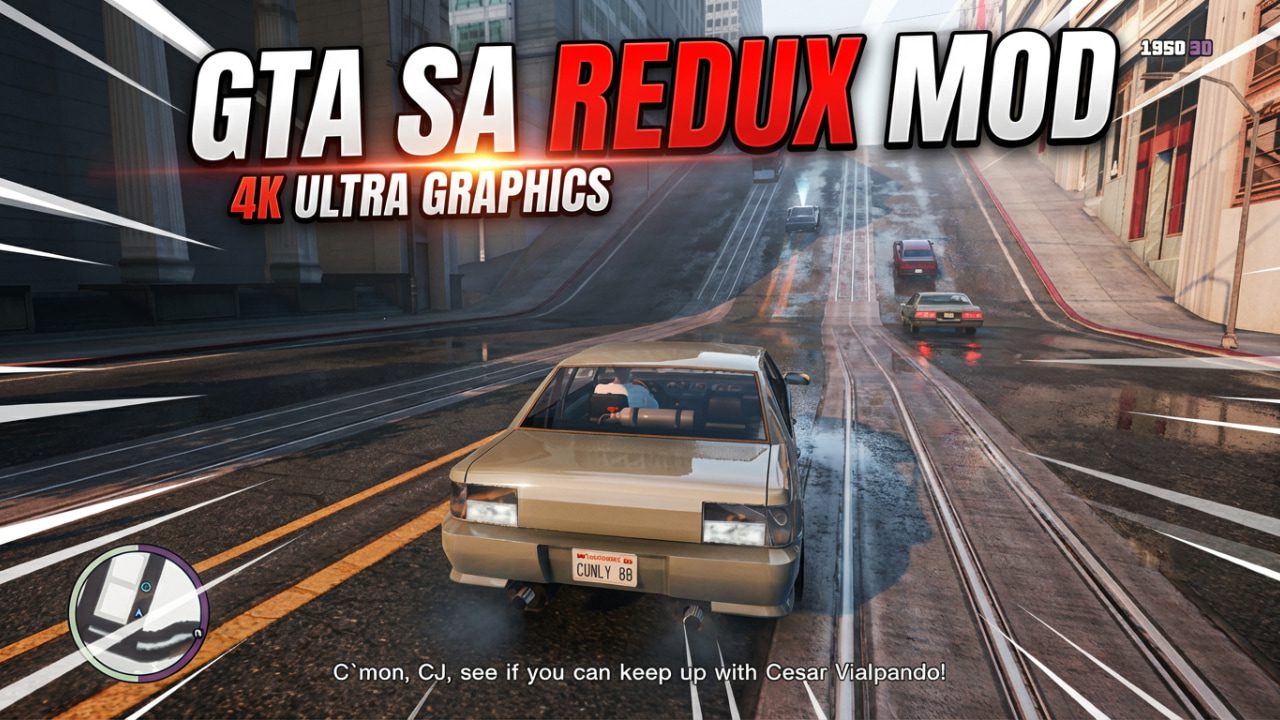
Upgrade your GTA San Andreas PC experience with the Redux graphics overhaul — learn what Redux changes, system requirements, installation tips, and safety best practices to get cinematic lighting, sharper textures, and better nights without wrecking your save.
If you’ve been replaying GTA: San Andreas on PC and want a dramatic visual upgrade without changing the core game, the Redux-style graphic packs are still one of the best community options. These packs refresh timecyc (lighting), shadows, reflections, and color grading to bring CJ’s world closer to modern expectations while keeping the original maps and missions intact. NexusMods and long-standing mod repositories host several Redux-style projects for both the classic and Definitive Edition builds.
GTA San Andreas Redux Mod
Visual upgrades
- Reworked timecyc for more realistic daytime and deeper, atmospheric nights.
- Improved shadows and ambient occlusion for depth on low- and mid-range systems.
- Bloom and color grading adjusted to remove the overly washed-out or too-bright feel of older builds.
Performance settings
- Many Redux packs include multiple presets (Low / Medium / High) so players on 2–4 GB RAM rigs can still use parts of the mod, and players with modern GPUs can enable full effects. This makes Redux accessible across a wide range of PCs.
Compatibility & tooling
- Most modern mod installs work best with community mod loaders and runtimes such as CLEO Redux and ASI loaders; these tools are the backbone for script-enhanced and shader-based mods. Always check compatibility with the Definitive Edition vs. classic Steam/GOG versions.
Installation GTA San Andreas Redux Mod
I’ve installed Redux-style packs a few times, and honestly, the process is finicky at first but straightforward if you follow steps carefully:
- Backup your game folder and save games. (Don’t skip this.)
- Check your game version — classic Steam/GOG vs. Definitive Edition — and pick a Redux build for that version.
- Install required runtimes (ASI Loader, CLEO/ CLEO Redux when advised).
- Extract Redux files into your game directory according to the mod’s README — usually replacing or adding a
timecyc.dat,textures, andshadersfolder. - Use included presets to test Low/Medium/High, then tweak. Launch, test, and revert to backups if something breaks.
Short personal note: I once forgot to install ASI and spent an hour troubleshooting — don’t be me. Also, keep your GPU drivers updated.
Quick comparison: Redux Mod vs other popular SA graphic mods
| Mod type | Visual impact | Performance hit | Ease of install | Recommended for |
|---|---|---|---|---|
| Redux-style packs | High — timecyc, lights, shadows | Medium | Moderate | Players wanting modern visuals w/o gameplay change. |
| Texture-only packs | Medium — sharper textures | Low-Medium | Easy | Users with older PCs who want crispness. |
| Total conversion mods | Extreme — new mechanics & assets | High | Hard | Players who want a different game experience. |
Risks, legal notes, and troubleshooting of GTA San Andreas Redux Mod
- Back up before modding. Replace files at your own risk.
- Antivirus false positives: Some mod installers trigger warnings; scan downloads and prefer reputable hosts like NexusMods.
- Multiplayer caution: Do not use mods in GTA Online — this risks bans. Only use mods offline in single-player.
- If the game crashes: Try a clean install, run the game once vanilla, then add the mod components step-by-step.
Best places to download GTA San Andreas Redux Mod
- NexusMods — home to archived and active Redux-style packs and community notes; always check file comments and instructions.
- GTAInside / LibertyCity — alternative libraries with long histories of Grand Theft Auto mods and mirror downloads.
- CLEO Redux (official site) — for scripting/runtime support and updated installers.
Pro tips from someone who’s spent too much time in San Andreas
- If you care about atmosphere more than ultra-high resolution textures, prioritize timecyc + shadows over massive texture packs. It changes the mood dramatically.
- Use the in-game weather/time console (if available through CLEO scripts) to test day/night transitions rapidly. Saves time.
- Keep a small “vanilla” copy of key files (
timecyc.dat,gta3.imgreplacements) so you can revert quickly.
GTA San Andreas Redux Mod
Want to give Redux a shot? Start here:
- Visit the Redux project page on NexusMods to pick the right build and read installation notes.
- Back up your
GTA San Andreasfolder and savegames. - Drop a comment below with your rig specs (CPU/GPU/RAM) — I’ll recommend which preset to try first.