
Discover the indispensable Must have Software For Gaming PC. From essential drivers and game launchers to performance monitoring and streaming tools, this guide covers everything you need to optimize your rig for peak performance. Must have Software For Gaming PC
Building or buying a powerful gaming PC is only the first step. To truly unlock your system’s potential, you need the right software ecosystem. A high-end graphics card means nothing without the correct drivers, and a fast processor can be bottlenecked by background bloatware.
This comprehensive guide details the essential software needed for gaming on PC, categorized by function. Whether you are a competitive shooter aiming for maximum FPS, a streamer building an audience, or a casual gamer organizing a massive library, these tools are non-negotiable for a premium experience.
1. The Foundation: Essential Drivers and Runtimes
Before installing games, you must ensure your hardware can communicate effectively with your operating system.
GPU Drivers (NVIDIA App / AMD Adrenalin)
Your graphics card (GPU) is the engine of your gaming rig. Both NVIDIA and AMD provide dedicated software suites that go beyond simple driver updates.
- NVIDIA App (formerly GeForce Experience): consistently updates drivers for the latest games (“Game Ready Drivers”), offers automatic game optimization, and includes ShadowPlay for recording gameplay.
- AMD Software: Adrenalin Edition: Provides deep con trol over GPU settings, including overclocking, fan curves, and Radeon Chill for power efficiency.Must have Software For Gaming PC
DirectX and Visual C++ Redistributables
While often installed automatically by game launchers, having the latest Direct X End-User Runtime and Visual C++ Redistributable packages is critical. These libraries are the building blocks for game graphics and physics. Missing these often leads to the dreaded “DLL missing” errors when trying to launch older or indie titles.
2. The Library: Game Launchers and Managers
PC gaming is fragmented across multiple storefronts. You will need these clients to purchase, download, and manage your games.
- Steam: The undisputed king of PC gaming. Beyond buying games, it offers Steam Input (controller support for any gamepad), Steam Link (remote play), and the Steam Workshop for easy modding.
- Epic Games Store: Essential for titles like Fortnite and famous for giving away high-quality free games weekly.
- GOG Galaxy 2.0: A “launcher for your launchers.” It unifies your libraries from Steam, Epic, Xbox, and PlayStation into a single interface, allowing you to see all your games in one place. Must have Software For Gaming PC
3. Performance Monitoring & Overclocking
To ensure your PC isn’t overheating or throttling, you need monitoring tools. These are safe to use if you are careful, but always research before changing voltage settings.
MSI Afterburner
Widely considered the gold standard for GPU tuning, MSI Afterburner works with any brand of graphics card.
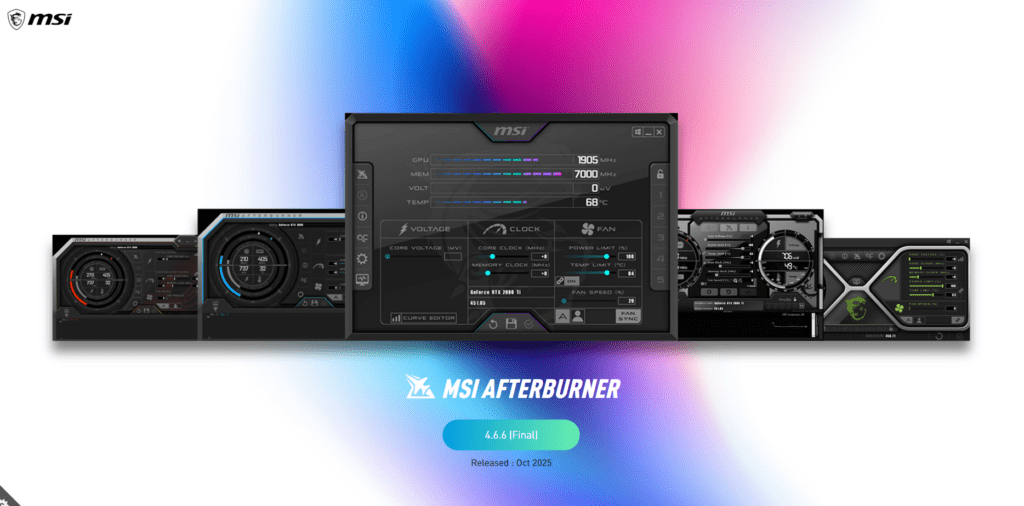
- Key Features:
- On-Screen Display (OSD): via the bundled RivaTuner Statistics Server, displaying FPS, temperatures, and usage percentages while you play.
- Fan Control: Create custom fan curves to keep your PC quiet or cool.
- Overclocking: safely boost clock speeds for free performance gains.
HWMonitor
For a quick snapshot of your entire system’s health, HWMonitor is lightweight and detailed. It shows real-time voltages, temperatures, and fan speeds for your CPU, motherboard, SSDs, and GPU . Must have Software For Gaming PC
4. Communication & Social
Gaming is inherently social. The days of Skype and TeamSpeak are largely behind us; one platform now dominates the landscape.
Discord: The standard for gaming communication. It offers low-latency voice chat, screen sharing (great for showing friends gameplay), and community servers for almost every specific game or interest.
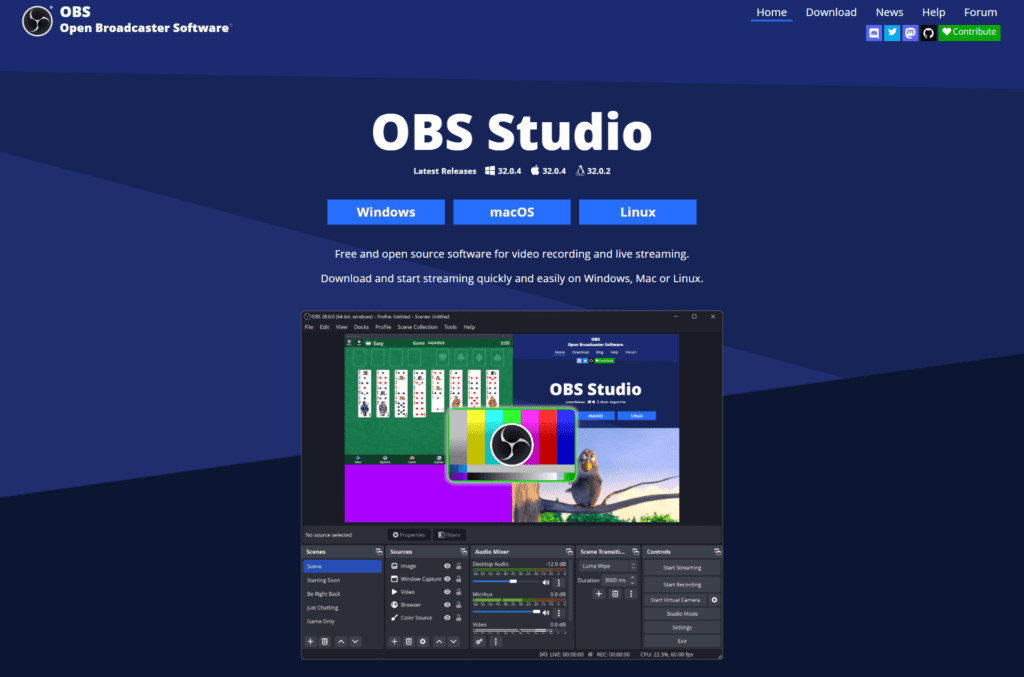
OBS Studio (Open Broadcaster Software): If you plan to stream to Twitch/YouTube or record high-quality footage, OBS is the industry standard. It is free, open-source, and has a low performance impact compared to other recording software.
5. System Maintenance & Utilities
Keep your drive clean and your system snappy with these utilities.
| Software | Purpose | Why You Need It |
| Revo Uninstaller | Clean Removal | Windows’ default uninstaller often leaves “junk” files and registry entries. Revo removes everything. |
| WizTree | Storage Management | Games today can be 100GB+. WizTree visualizes your drive to show exactly what is eating up your space. |
| 7-Zip | File Compression | Superior to WinRAR. Essential for extracting mods, save files, or software archives. |
| Wallpaper Engine | Customization | Available on Steam, it replaces static desktop backgrounds with animated, high-quality wallpapers (pause it while gaming to save RAM). |
6. Advanced Optimization (Optional)
For users with older hardware or those demanding every last frame.
- Razer Cortex: Automatically shuts down unnecessary background processes when you launch a game to free up RAM.
- ExitLag: A paid VPN service specifically designed to lower ping (latency) in competitive online games by optimizing the connection route to game servers.
- f.lux: Adjusts your monitor’s color temperature based on the time of day. While Windows has a “Night Light” feature, f.lux is more customizable and can automatically disable itself when a fullscreen game launches to preserve color accuracy.
Is your gaming PC fully optimized? Start by downloading MSI Afterburner to check your temperatures and Discord to join the community. If you found this list helpful, share it with your squad so they stop crashing mid-game!
For more Must have Software For Gaming PC articles related posts check below.
This Must have Software For Gaming PC article ends now. Thank you