

This article How to Download dxvk for gta 4 will show you possible ways to Download dxvk for gta 4 pc game. Dont worry about lags now this tweak of gta 4 lag fix will improve your gaming performance overall boosting fps in gta 5.
If you’re struggling with low FPS, stuttering, or poor frame pacing in Grand Theft Auto IV, you’re not alone. GTA 4 is infamous for its heavy CPU usage and inefficient DirectX 9 rendering. One of the most effective modern fixes is DXVK — a Vulkan-based translation layer that can dramatically improve performance on many systems.
This professional SEO guide explains what DXVK is, how it works with GTA 4, how to download and install it safely, and whether it’s worth using on your PC.
What Is DXVK and Why It Helps GTA 4?
DXVK is an open-source compatibility layer that translates DirectX 9/10/11 calls into Vulkan. GTA 4 relies on DirectX 9, which doesn’t scale well on modern CPUs and GPUs. DXVK improves how draw calls are handled, reducing CPU bottlenecks.
Key Benefits of DXVK for GTA 4
- Higher average FPS on mid and high-end systems
- Smoother frame pacing (less micro-stutter)
- Better GPU utilization
- Reduced CPU overhead
- Improved stability with modern drivers
🔥 For many players, DXVK is the single biggest performance boost available for GTA 4.
System Requirements for DXVK
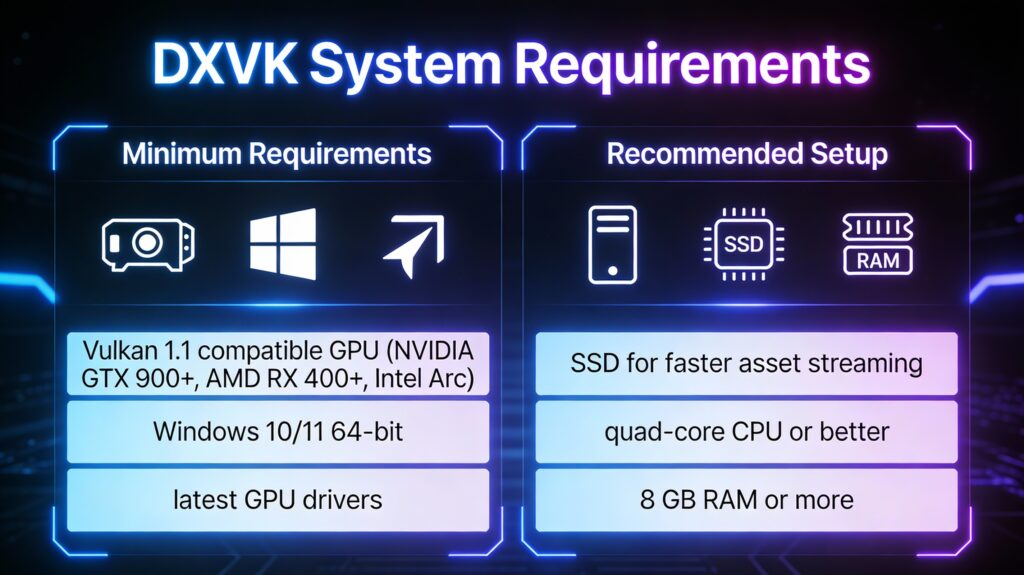
Before downloading DXVK, ensure your PC meets these requirements:
| Category | Minimum Requirements | Recommended Setup |
|---|---|---|
| GPU | Vulkan 1.1 compatible (NVIDIA GTX 900+, AMD RX 400+, Intel Arc) | – |
| OS | Windows 10 or Windows 11 (64-bit) | – |
| Drivers | Latest GPU drivers installed | – |
| Storage | – | SSD for faster asset streaming |
| CPU | – | Quad-core CPU or better |
| RAM | – | 8 GB or more |
How to Download DXVK for GTA 4 Safely
⚠️ Always download DXVK from its official GitHub repository to avoid malware or modified builds.
Download Steps
- Visit the official DXVK GitHub page
- Download the latest stable release (.tar.gz or .zip)
- Extract the files using WinRAR or 7-Zip
- Open the
x32folder (GTA 4 is a 32-bit game)
How to Install DXVK in GTA 4
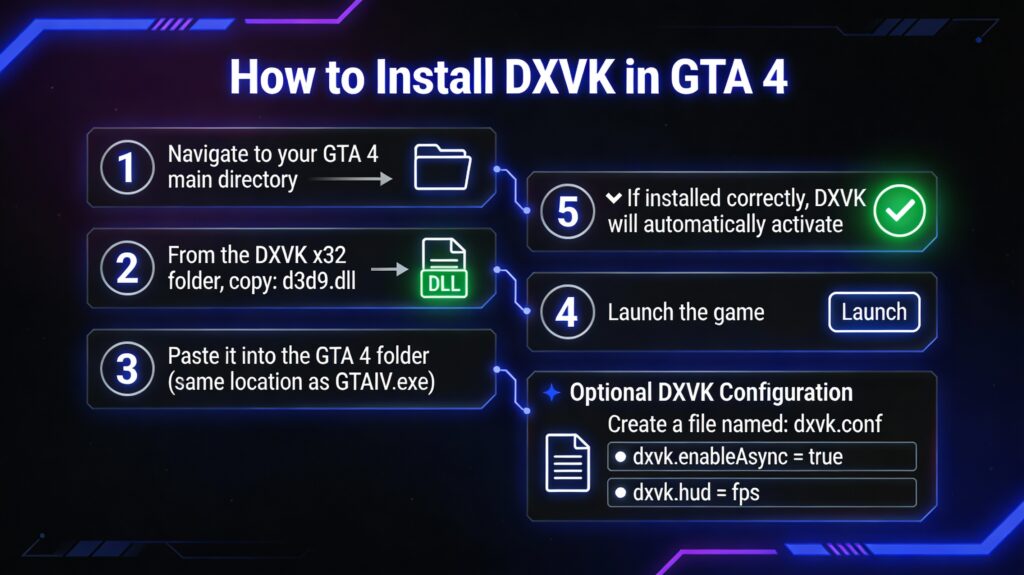
Installation Process
- Navigate to your GTA 4 main directory
- From the DXVK
x32folder, copy:d3d9.dll
- Paste it into the GTA 4 folder (same location as GTAIV.exe)
- Launch the game
✔️ If installed correctly, DXVK will automatically activate.
Optional DXVK Configuration
You can create a file named:
dxvk.conf
Useful tweaks include:
dxvk.enableAsync = truedxvk.hud = fps
DXVK vs Vanilla DirectX 9 in GTA 4
| Feature | DirectX 9 | DXVK |
|---|---|---|
| Average FPS | ⭐⭐☆☆☆ | ⭐⭐⭐⭐☆ |
| Frame Pacing | ⭐⭐☆☆☆ | ⭐⭐⭐⭐☆ |
| CPU Usage | High | Reduced |
| GPU Utilization | Poor | Improved |
| Stability | Moderate | High |
📊 Overall Rating with DXVK: 4.5 / 5
🛠 Easy Setup Guide
- Check for missing DLL files: Open the
_Redistor_CommonRedistfolder in the game directory and install DirectX, Visual C++ Redistributables, and any other included dependencies.- Extract files with 7-Zip: If you encounter a “file corrupted” error, re-download the files and extract them again.
- Run as Administrator: Right-click the game’s executable and choose Run as Administrator to prevent save or permission issues.
💡 Helpful Tips
- Need installation help? Check out our full FAQ & Troubleshooting Guide.
- Antivirus false positives: Temporarily disable your antivirus during extraction to prevent game files from being blocked.
- Update GPU drivers: For optimal performance, make sure your NVIDIA or AMD drivers are up to date.
- Game won’t launch? Try running the game in compatibility mode or installing missing DirectX updates.
- Still seeing errors? Some games require updated Visual C++ Redistributables. Download the All-in-One VC Redist Package and install all versions.
❓ Need More Help?
Visit our FAQ page for answers to common questions and solutions to frequent issues.
Performance Comparison (Before vs After DXVK)
| Scenario | Avg FPS | 1% Low FPS | Stutter |
|---|---|---|---|
| Vanilla GTA 4 | 35–45 | 18–22 | Frequent |
| GTA 4 + DXVK | 55–70 | 35–40 | Minimal |
⚡ Results may vary depending on mods, resolution, and hardware.
Best Settings to Use With DXVK
Recommended Graphics Settings
- Texture Quality: High
- Shadow Quality: Medium
- View Distance: 25–35
- Detail Distance: 30–40
- VSync: Off (use external limiter instead)
Additional Optimization Tips
- Use FusionFix alongside DXVK
- Limit FPS to 60 for stability
- Disable in-game anti-aliasing
- Run the game in borderless fullscreen
Common DXVK Issues and Fixes
Game Won’t Launch
- Ensure you used
x32DLL files - Update GPU drivers
- Remove old ENB or ReShade files
Stuttering on First Load
- Normal behavior due to shader compilation
- Improves after several minutes of gameplay
Incompatible Mods
- Some outdated ENBs may conflict with DXVK
- Test without mods if crashes occur
Is DXVK Worth It for GTA 4?
✅ Yes, absolutely.
For most players, DXVK transforms GTA 4 from a poorly optimized PC port into a smooth, enjoyable experience. When combined with modern fixes and proper settings, it delivers a noticeable FPS increase and much better stability.
Final Verdict
- Ease of Installation: ⭐⭐⭐⭐☆
- Performance Gain: ⭐⭐⭐⭐⭐
- Stability: ⭐⭐⭐⭐☆
- Overall Rating: ⭐⭐⭐⭐⭐
🎮 If you’re serious about playing GTA 4 on PC in 2025, DXVK is a must-have optimization.