


The combination of ICEnhancer 3.0 and CryENB is widely regarded as one of the best visual upgrade setups for Grand Theft Auto IV.
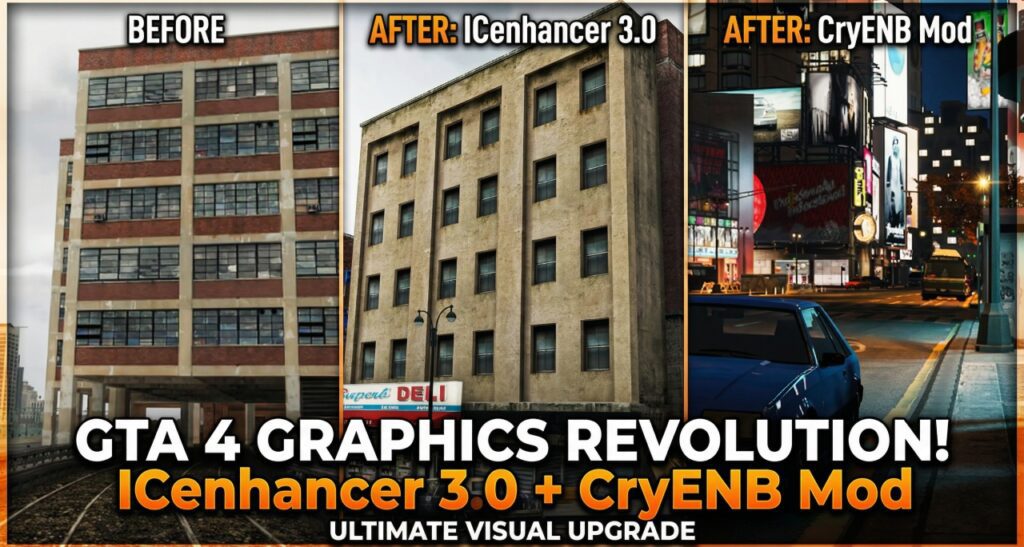
Together, these two mods dramatically improve lighting, colors, weather effects, and overall realism while preserving the original atmosphere of Liberty City. This article explores what ICEnhancer 3.0 and CryENB are, how they work together, and why this combo remains popular among GTA IV modding enthusiasts.
What Is ICEnhancer 3.0
ICEnhancer 3.0 is a graphical overhaul mod designed to push GTA IV’s visual engine to its limits. It focuses on realistic lighting, advanced shadows, improved reflections, and enhanced weather effects. Unlike basic texture mods, ICEnhancer deeply modifies the game’s timecycle and post-processing systems.
Key features of ICEnhancer 3.0 include:
- Cinematic lighting with realistic brightness and contrast
- Enhanced shadow depth and sun rays
- Improved night lighting and street illumination
- More natural color balance across all weather types
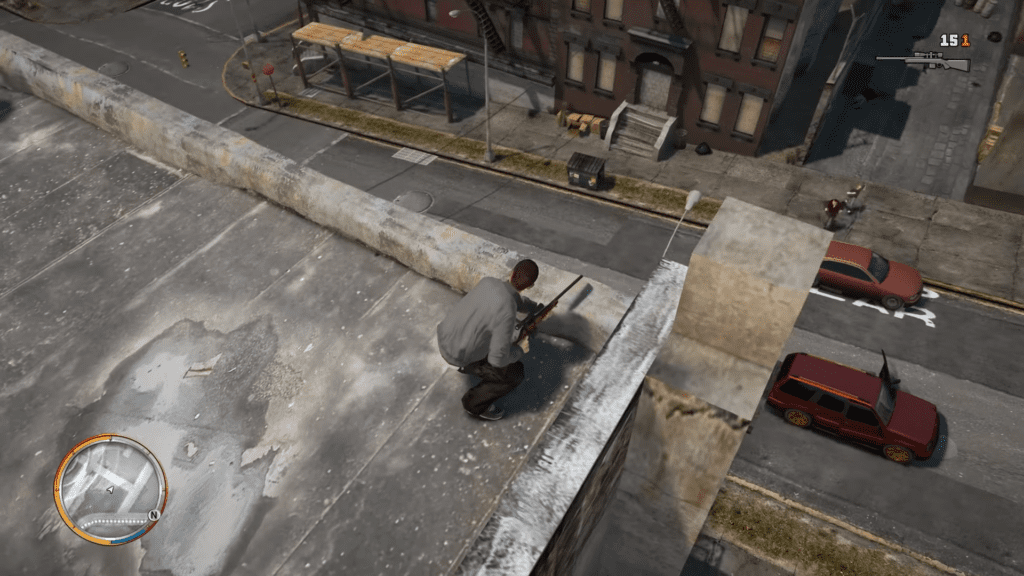
ICEnhancer 3.0 is especially known for making Liberty City feel darker, grittier, and more immersive, closely matching the game’s original artistic vision.
What Is CryENB
CryENB is an ENB preset created to deliver vibrant visuals inspired by modern games and cinematic color grading. ENB mods act as post-processing layers, adding effects such as bloom, depth of field, color correction, and improved reflections.
CryENB focuses on:
- Rich, vivid colors without over-saturation
- Strong contrast and sharp image clarity
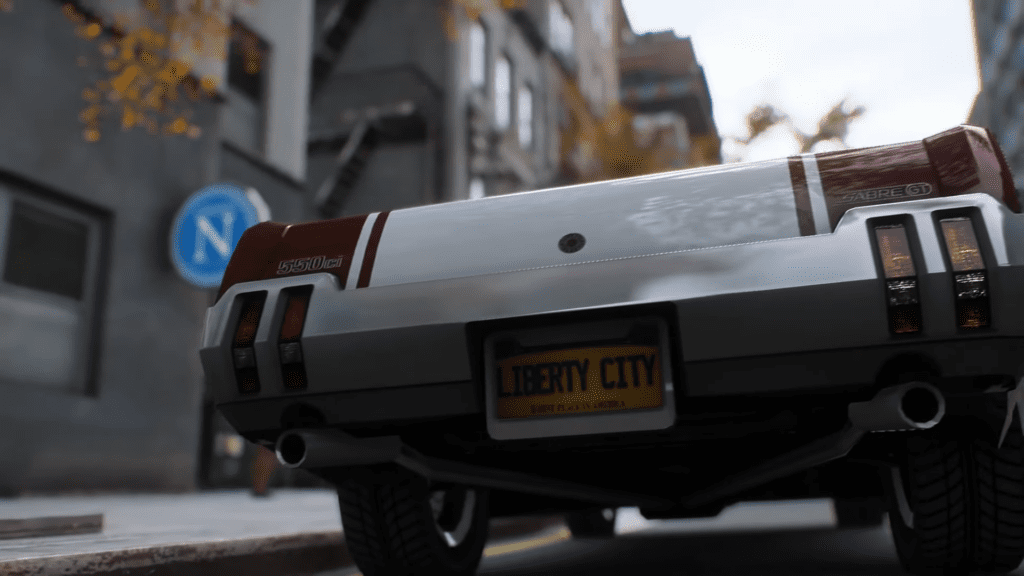
- Enhanced reflections on cars, roads, and water
- Cinematic depth of field for screenshots and gameplay
On its own, CryENB already makes GTA IV look more modern, but when paired with ICEnhancer 3.0, the results are significantly more impressive.
Why Combine ICEnhancer 3.0 with CryENB
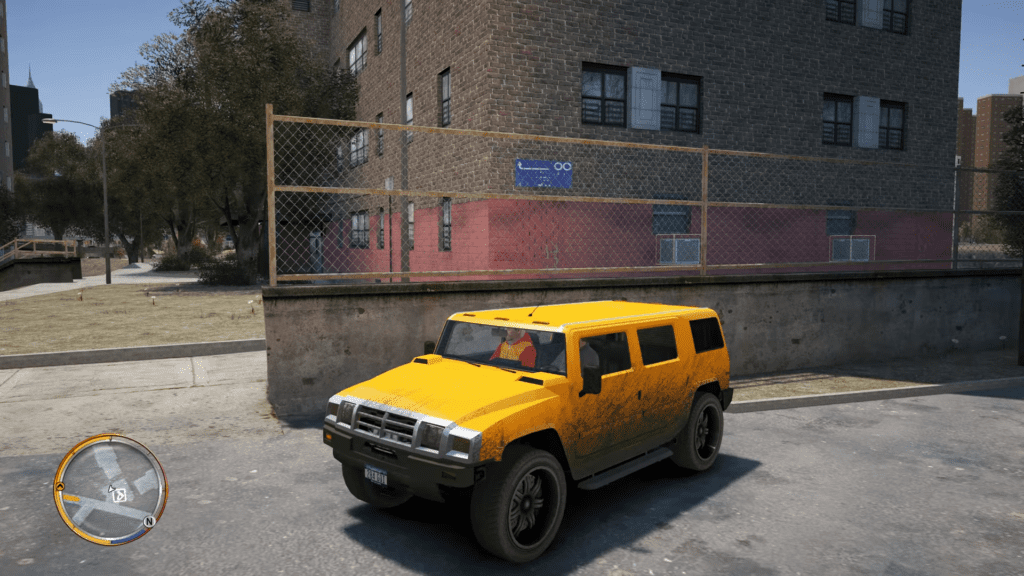
ICEnhancer 3.0 and CryENB complement each other rather than conflict. ICEnhancer handles the core lighting, weather, and environmental realism, while CryENB enhances post-processing effects and visual polish.
Benefits of using both together:
- Realistic base lighting from ICEnhancer
- Cinematic color grading from CryENB
- Improved reflections and depth perception
- A balanced mix of realism and visual flair
This combination transforms GTA IV into a visually stunning experience that rivals newer open-world titles.
Performance and System Requirements
While the ICEnhancer 3.0 and CryENB combo looks incredible, it is demanding on hardware. Players with low-end systems may experience frame drops or stuttering.
Recommended considerations:
- A strong CPU, as GTA IV is CPU-intensive
- A dedicated GPU with sufficient VRAM
- Adjusting ENB settings like depth of field and bloom for better performance
- Tweaking in-game graphics options for stability
Proper configuration is essential to achieve smooth gameplay without sacrificing visual quality.
Installation Overview
Installing ICEnhancer 3.0 with CryENB requires careful steps to avoid conflicts.
General process:
- Install ICEnhancer 3.0 first
- Verify the game runs correctly
- Install CryENB files and overwrite when necessary
- Adjust ENB and timecycle settings to personal preference.
1. iCEnhancer 3.0
This is the official release from the creator (Hayssam Keilany). The page includes the original 3.0 (2014) and the updated 3.0.1 (2024).
- Official Website: iCEnhancer 3.0
- Note: Scroll down to find the download buttons for “1.0.7.0 / EFLC” or “1.0.4.0” depending on your game version.
2. CryENB V3
The original site for CryENB is often offline or difficult to navigate. The most reliable and safe mirror currently is on GTAInside.
- Download Link (GTAInside): CryENB V3 (Edit by Dmik)
- Note: This version is widely used as it includes fixes for the original mod. It is designed primarily for patch 1.0.7.0 and EFLC.
Recommendation:
- Use iCEnhancer 3.0 if you want the classic, high-contrast “modded” look often seen in YouTube showcases.
- Use CryENB V3 if you prefer a slightly more natural, balanced look with distinct color palettes (it often comes with “Natural” or “Cinematic” presets in the folder).
Backing up original game files before installation is highly recommended.
Visual Impact and Gameplay Experience
With both mods installed, Liberty City feels more alive and atmospheric. Daytime scenes feature realistic sunlight and shadows, while nighttime becomes darker and more cinematic. Rainy weather, fog, and sunsets look especially impressive, making exploration and story missions more immersive.
Driving through the city with reflective roads, glowing streetlights, and enhanced skies significantly elevates the overall gameplay experience.
